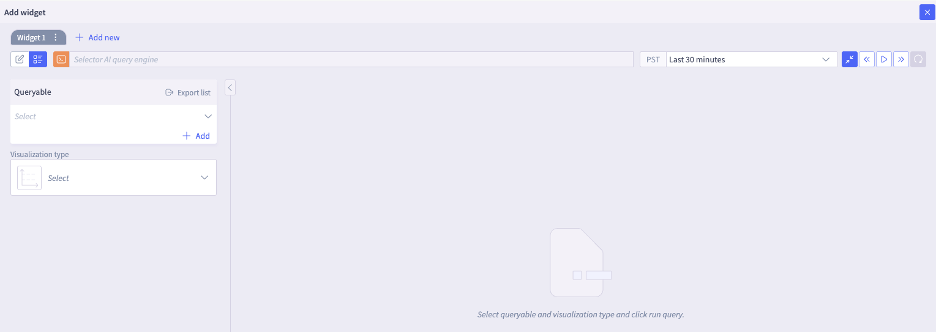
| availability | Device Reachability | Tracks the availability when devices are pinged using ICMP | Verify device reachability: operators use this to monitor device ICMP reachability | Honeycomb, line-plot |
| bgp_device_health | BGP Status | Aggregate metric that indicates the health status of devices participating in BGP routing | BGP Monitoring: Used to monitor the status of BGP devices to identify and troubleshoot issues | Honeycomb, line-plot |
| bgp_flap_rate | BGP Status | Aggregate metric that indicates the BGP flap rate in a time period | BGP Monitoring: Used to monitor the BGP link/interface flap rate to identify and troubleshoot BGP issues. | Honeycomb, line-plot |
| bgp_peer_downtime | BGP Status | Aggregate metric that tracks the BGP peer down time to monitor the health status of BGP | BGP Monitoring: Used to monitor the status of BGP devices to identify and troubleshoot issues | Honeycomb, line-plot |
| bgp_peer_state | BGP Status | Metric that indicates the health status of a BGP peer | BGP Monitoring: Used to monitor the status of BGP devices to identify and troubleshoot issues. | Honeycomb, line-plot |
| bgp_peer_status_by_kpi | BGP Status | Aggregate metric that indicates the overall health status of BGP by KPI | BGP Monitoring: Used to monitor the status of BGP devices by KPI to identify and troubleshoot issues. | Honeycomb, line-plot |
| circuit_health | Circuit Health | Tracks the health of Layer 2 circuits | Circuit Monitoring: Monitors circuit health | Honeycomb, line-plot |
| cpu_usage | Device Health | Tracks the CPU usage of devices. | Detailed Device Health monitoring: Allows operators to monitor device CPU usage to prevent device health degradation. | Honeycomb, line-plot |
| device_availability | Device Reachability | Tracks the availability when devices are pinged using ICMP | Verify device reachability: operators use this to monitor device ICMP reachability | Honeycomb, line-plot |
| device_harddown_health | Device Health | Indicates if a device is “hard down” i.e. completely unreachable. This is a critical device liveness, health check via SNMP , ICMP. indicator, | Overall device Health monitoring: Operators monitor devices, and when a device is confirmed to be unreachable via SNMP and ICMP, a high severity alert is typically triggered | Honeycomb, line -plot |
| device_health | Device Health | Aggregate health metric showing overall health status of devices. It aggregates various health signals (such as SNMP, ICMP, CPU, memory etc.) to provide a single health status (e.g., Green/Healthy, Red/Unhealthy) | Overall device Health monitoring: primary metric to monitor overall operational state of the device network fleet | Honeycomb, line-plot |
| device_health_by_kpi | Device Health | Aggregate metric that shows device health status based on specific Key Performance Indicators (KPIs) such as CPU, port, memory, power etc. The value of this metric is derived based on the health of the individual KPIs, and 0 indicates healthy (green), 1 indicates unhealthy (red) | Device Health monitoring: Allows operators to identify the specific KPI (CPU, Health, Memory, Interface, Disk, BGP etc.) causing a device health degradation. | Honeycomb, line -plot |
| device_health_rollup | Device Health | | | Honeycomb, line-plot |
| device_inventory_presence | Device Inventory | Count of number of devices present grouping devices together by model, product | Device Inventory Monitoring: Operators use it to monitor device inventory such as count of devices | Honeycomb, line-plot |
| device_ping_availability | Device Reachability | Tracks availability status of devices based on Pingmesh (ICMP ping) results. It tracks the reachability of devices from various probes. Values include: - -1: Unreachable - 0: No Loss (Healthy) - 1: Total Loss | Verify Network reachability: Operators monitor devices, and when a device is confirmed to be unreachable ICMP, a high severity alert is typically triggered | Honeycomb, line-plot |
| device_ping_health | Device Reachability | Derived metric that is derived from ping availability metrics and feeds into device health and KPI | Verify device reachability: operators use this to monitor device ICMP reachability health | Honeycomb, line-plot |
| device_power_status | Device Health | Metric that tracks the status of device power | Device Health Monitoring | Honeycomb, line-plot |
| device_reset_health | Device Health | Metric that tracks if a device got reset ie device crash or device rebooted | Device Health Monitoring: Allows operators to monitor if a device got reset (crash or restart) | Honeycomb, line-plot |
| device_snmp_availability | Device Reachability | Tracks the availability of devices for SNMP | Verify device reachability: operators use this to monitor device SNMP reachability | Honeycomb, line-plot |
| device_temperature_f_health | Device Health | Metric that tracks the device temperature in farenheit | Device Health Monitoring | Honeycomb, line-plot |
| disk_device_health | Device Health | Tracks the disk health of devices. | Detailed Device Health monitoring: Allows operators to monitor disk health to prevent device health degradation. | Honeycomb, line-plot |
| ec2_instance_health | EC2 instance health | Metric that tracks EC2 instance health | EC2 Monitoring: Operators monitor the health of their EC2 instances running in AWS public cloud. | Honeycomb, line-plot |
| ec2_instance_health_by_kpi | EC2 instance health | Metric that tracks EC2 instance health by KPI | EC2 Monitoring: Operators monitor the health of their EC2 instances running in AWS public cloud. | Honeycomb, line-plot |
| if_admin_oper_status | Interface Health | Aggregate metric that shows agregate of the admin status and operational status of a port (up/down). | Interface Health monitoring: Used to monitor the operational status of network interfaces by various KPIs | Honeycomb, line-plot |
| if_flap | Interface Health | Shows the count of Interface flaps | Interface Health monitoring: Used to monitor interface flaps | Honeycomb, line-plot |
| if_host_status | Interface Health | Shows the status of the host that the interface belongs to? | Interface Health monitoring: Used to monitor interface flaps | Honeycomb, line-plot |
| if_in_errors | Interface Health | Shows the count of interface inbound errors | Interface Health monitoring: Used to monitor interface errors | Honeycomb, line-plot |
| if_in_utilization | Interface Health | Shows interface inbound traffic utilization/throughput | Interface Health monitoring: Used to monitor interface utilization | Honeycomb, line-plot |
| if_out_errors | Interface Health | Shows the count of interface outbound errors | Interface Health monitoring: Used to monitor interface errors | Honeycomb, line-plot |
| if_out_utilization | Interface Health | Shows interface outbound traffic utilization/throughput | Interface Health monitoring: Used to monitor interface utilization | Honeycomb, line-plot |
| if_status | Interface Health | Metric that indicates the status of an interface - good (interface up) , bad (interface down/some issue). Values: 0 (Good), 1 (Bad). | Interface Health monitoring: Used to monitor the operational status of network interfaces | Honeycomb, line-plot |
| if_status_by_kpi | Interface Health | Interface health status based on specific Key Performance Indicators (KPIs). Shows health of kpis for an interface | Interface Health monitoring: Used to monitor the operational status of network interfaces by various KPIs | Honeycomb, line-plot |
| ipsla_device_health | IPSLA | Metric that monitors of IP SLA device health analysing traffic metrics like jitter, latency, packet loss etc. | IP SLA monitoring: Operators monitor IP SLA traffic metrics like latency, jitter, packet loss to track the state of their devices, and network. | Honeycomb, line-plot |
| jitter | Device Reachability | Tracks the jitter when devices are pinged | Verify device reachability: operators use this to monitor device reachability health. When there is high jitter, the device connectivity has issues. | Honeycomb, line-plot |
| l3vpn_vrf_device_status | L3vpn device status | Metric that tracks the L3VPN device status | L3VPN monitoring: Operators monitor the L3VPN VRF status of devices | Honeycomb, line-plot |
| l3vpn_vrf_status | | Metric that trcks the L3VPN status | L3VPN monitoring: Operators monitor the L3VPN VRF status of devices | Honeycomb, line-plot |
| latency | Device Reachability | Tracks the latency when devices are pinged | Verify device reachability: operators use this to monitor device reachability health. When there is high latency the device connectivity has issues. | Honeycomb, line-plot |
| link_monitor_device_health_by_kpi | Link Health | Metric that tracks the state of a link based on KPIs to understand the health of the device. | Link Monitoring: Operators monitor the state of links by KPIs to detect issues in their device health proactively | Honeycomb, line-plot |
| link_monitor_state | Link Health | Metric that tracks the state of a link | Link Monitoring: Operators monitor the state of links to detect issues in their network, data centers proactively | Honeycomb, line-plot |
| lldp_session_status_by_kpi | LLDP | Metric that tracks the status of LLDP sessions by KPIs | LLDP Monitoring: Operators monitor LLDP session status by KPIs undestand the state of their network and devices | Honeycomb, line-plot |
| log_counts | Logs | Metric that counts the total volume of raw logs | Log Monitoring | Honeycomb, line-plot |
| memory_usage | Device Health | Tracks the memory usage of devices. | Detailed Device Health monitoring: Allows operators to monitor device memory usage to prevent device health degradation. | Honeycomb, line-plot |
| ospf_device_health | OSPF status | Aggregate metric that indicates the health status of devices participating in OSPF | OSPF Monitoring: Used to monitor the status of OSPF devices to identify and troubleshoot issues. | Honeycomb, line-plot |
| ospf_if_status | OSPF status | Aggregate metric that indicates the health status of interfaces of devices participating in OSPF | OSPF Monitoring: Used to monitor the status of OSPF device interfaces to identify and troubleshoot issues. | Honeycomb, line-plot |
| ospf_nbr_state | OSPF status | Metric that indicates the health status of an OSPF neighbor | OSPF Monitoring: Used to monitor the status of OSPF devices to identify and troubleshoot issues. | Honeycomb, line-plot |
| ospf_status_by_kpi | OSPF status | Aggregate metric that indicates the health status of devices participating in OSPF by KPI | OSPF Monitoring: Used to monitor the status of OSPF devices by KPI to identify and troubleshoot issues. | Honeycomb, line-plot |
| packet_loss_pct | Device Reachability | Tracks the packet loss when devices are pinged | Verify device reachability: operators use this to monitor device reachability health. When there is 100% packet loss, the device is unreachable | Honeycomb, line-plot |
| port_device_health | Port Health | Metric that monitors the health of a port to catch device health issues proactively | Device Port Monitoring: Operators monitor port health of devices to catch issus proactively | Honeycomb, line-plot |
| power_supply_state | Power Supply state | Metric that monitors the state of the power supply | Power Supply Monitoring: Operators monitor the health of power supplies to get proactive notification on issues so that they can prevent broader outages (server, devices, networks etc. ) | Honeycomb, line-plot |
| rollup_if_utilization | Interface Health | Rollup metric that shows interface utilization | Interface Health monitoring: Used to monitor interface utilization , used in capacity reports | Honeycomb, line-plot |
| sd_wan_device_health | Sdwan Health | Metric that tracks the health of Sdwan devices | Sdwan monitoring: Operators can monitor the health of Sdwan devices | Honeycomb, line-plot |
| site_bgp_status | Site BGP Status | Aggregate metric that indicates the BGP status of a site, based on the aggregate of all BGP devices in that site | BGP Monitoring: BGP Monitoring at site level to identify and troubleshoot issues. | Honeycomb, line-plot |
| site_harddown_health | Site Health | Aggregate metric that indicates if a site is “hard down” i.e. all devices in the site are completely unreachable. This is a critical device liveness, health check via SNMP , ICMP | Overall Site Health monitoring: Operators monitor health of the overall site, based on the aggregate of health of all devices in that site. When an entire site is unreachable (because all devices are unreachable via SNMP and ICMP), a high severity alert is typically triggered. | Honeycomb, line-plot |
| site_health | Site Health | Aggregate health metric showing overall health status of site. It aggregates various health signals to provide a single status for site health (e.g., Green/Healthy, Red/Unhealthy) | Overall Site Health monitoring: Operators monitor health of the overall site, based on the aggregate of health of all devices in that site When an entire site is unreachable (because all devices are unreachable via SNMP and ICMP), a high severity alert is typically triggered. | Honeycomb, line-plot |
| site_health_by_kpi | Site Health | Aggregate health metric showing overall health status of site KPIs. It aggregates various KPI signals to provide a single status for site KPI health (e.g., Green/Healthy, Red/Unhealthy) Shows health of KPIs for a site | Overall Site Health monitoring: Operators monitor health of the overall site KPIs, based on the aggregate of health of all KPIs for that site. | Honeycomb, line-plot |
| sys_uptime | System Health | Metric that tracks system uptime - time since the device has been up. | Device monitoring | Honeycomb, line-plot |
| tunnel_status_by_device | Tunnel Status | Metric that tracks IPSec tunnel up/down status for a device. Tunnel up is red, Tunnel down is green | Tunnel Status: | Honeycomb, line-plot |
| wilc_ap_failed_count | Wireless Monitoring | Metric that tracks the failed Access Point (AP) count | Wireless Monitoring: Operators use this to monitor their wireles devices (AP, Wireless lan controller) . Single pane, unified view across wireless and wired with Selector | Honeycomb, line-plot |
| wlc_ap_connect_count | Wireless Monitoring | Metric that tracks the cconnected Access Point (AP) count | Wireless Monitoring: Operators use this to monitor their wireles devices (AP, Wireless lan controller) . Single pane, unified view across wireless and wired with Selector | Honeycomb, line-plot |
| wlc_max_clients_count | Wireless Monitoring | Metric that tracks the count of max clients connected to an Access Point (AP) | Wireless Monitoring: Operators use this to monitor their wireles devices (AP, Wireless lan controller) . Single pane, unified view across wireless and wired with Selector | Honeycomb, line-plot |