This is the multi-page printable view of this section. Click here to print.
Release Notes
- 1: Selector Release Notes Version 4032 Mar 1 2026 to May 15 2026
- 2: Selector Release Notes Version 3849 Dec 16 2025 to Feb 28 2026
- 3: Selector Release Notes Version 3686 Oct 6 to Dec 15 2025
- 4: Selector Release Notes Version 3531 Jul 15 to Oct 1 2025
- 5: Selector Release Notes Version 3379 May 5 to July 14 2025
1 - Selector Release Notes Version 4032 Mar 1 2026 to May 15 2026
Selector Release Notes for Version 4032
New Features and Enhancements
NOTE: Please consult with a solution engineer or Customer Success Manager for any required feature additions.
Granular RBAC permissions
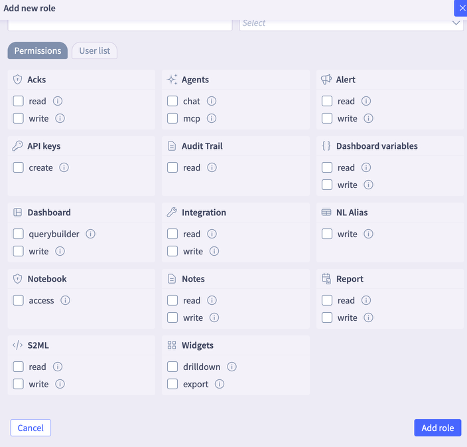
The S2AP platform supports granular permissions for users that allow administrators to provide necessary permissions for custom roles. These enhancements introduce support for nested, granular dashboard permissions, offering greater flexibility and precision in managing user access, and enable customers to provide appropriately scoped permissions to roles adhering to least-privilege principles.
The following specific granular permissions are now available:
- API Keys: Allows authorized users to generate custom keys.
- Agent - MCP and ChatOps: Provides access to Selector’s MCP service and the Selector Rosetta feature.
- Notebook: Grants users permission to utilize the Jupyter notebook.
- Dashboard Querybuilder: Enables the query bar for visualization; if write permissions are active, users may also save their queries.
- Widgets - Export: Permits users to export widget data as PDF or CSV files.
- Widgets - Drilldown: Allows users to navigate from top-level widgets into detailed views.
Kafka2 Remote Engine Enhancements
The Kafka2 Remote engine has significant enhancements to provide a robust, scalable, and highly optimized solution for managing large-scale data streams. These architectural improvements ensure the platform can handle increasing telemetry volumes with greater efficiency and reliability. Furthermore, the user interface now provides direct support for configuring multiple engine parameters, which streamlines administrative workflows by eliminating the need for manual backend-logging.
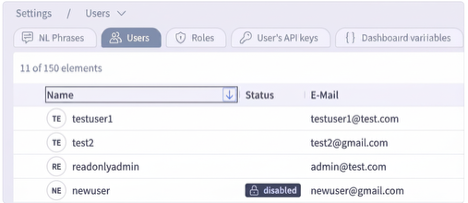
Enable/Disable Users from the UI
The Selector portal now allows the enabling and disabling of users. The users list specifically highlights those users currently disabled in the Status field.
Heartbeat Status on Decommissioned Devices
The SNMP heartbeat monitoring for decommissioned devices is now automatically and immediately paused upon the device’s removal from Selector’s Inventory. This enhancement optimizes monitoring resources and prevents the generation of false-positive “device down” alerts for hardware intentionally taken out of service.
Dual Submission with Remote Engines
Most Selector remote engines now support sending data to multiple S2AP instances simultaneously to ensure high availability and geo-redundancy. This capability is critical for environments requiring identical datasets across production and disaster recovery (DR) setups.
Also, the Synthetics and Probe agents now support dual submission to allow synthetic monitoring data to be replicated across multiple S2AP endpoints. Configuration involves listing secondary destinations in the probe configuration file, while the primary destination is derived from the existing setup.
Dashboard Assignment for Custom Roles
The S2AP platform now allows users to access and interact with specifically assigned dashboards directly as the primary home folder. The system-level default home folder is automatically hidden for any user accounts that have been mapped to specialized custom roles and specific dashboards to provide a streamlined and relevant user experience.
This enhancement gives administrators the ability to customize the initial landing experience for different user groups, so that the most pertinent telemetry and visualizations are immediately available at login.
User Experience Enhancements
Table Search: The Search functionality now provides an enhanced and more intuitive seamless administrative experience. This update automatically synchronizes search parameters, such as IP addresses or specific text strings, across all related views.
- Persistent Search Context: When a user copies an IP address or text to the search field from any table, that criteria is automatically included in all expanded views within that table.
- Improved Efficiency: This enhancement reduces the need for manual data re-entry and streamlines the process of identifying and investigating specific network elements or logs within complex tables.
Copy and Paste support for custom time intervals from the timepicker
- Administrators can copy a precise time window to investigate related telemetry or dashboard visualizations across different views without manually re-configuring the timepicker. This provides a consistent analysis across the platform.
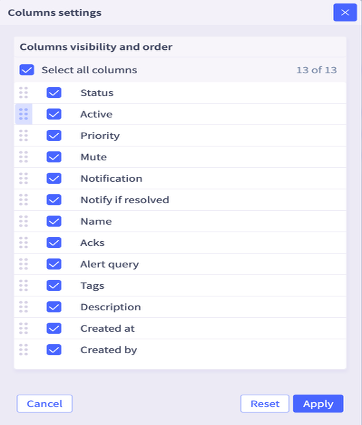
Column Customization for Alert Rules: The Alert Rules table now allows users to reorder columns. This allows users to prioritize and sort critical data to the beginning of the table for better visibility.
- Note: These column settings can be accessed by clicking the three dots located next to the “Add Rule” button under Alert->Rules.
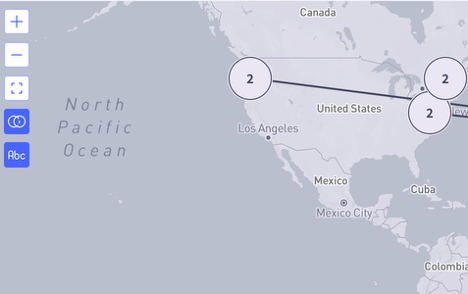
Map View Zoom Controls: The map view now supports mouse scrolling for seamless zooming in and out.
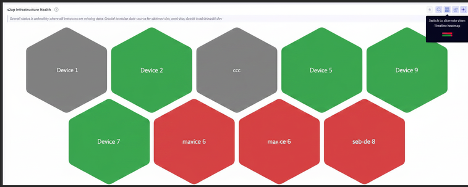
- Honeycomb Widget: Timeline Heatmap View
The Honeycomb widget, frequently used to display site and device health, now includes an optional timeline heatmap view. This alternative visualization gives users another option to analyze health data within the widget.
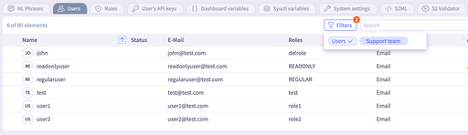
- User Segmentation Filters: New filters within the Selector portal allow clear differentiation between Selector users as “Support team” members and customer users as “Users.”
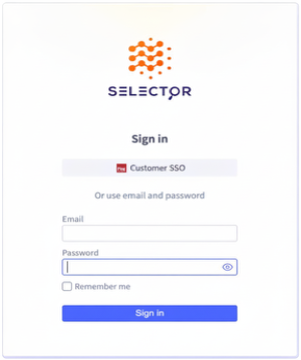
- Login Page Interface Updates: The login page layout now prioritizes SSO sign-ins at the top, while the optional username and password fields move to the bottom.
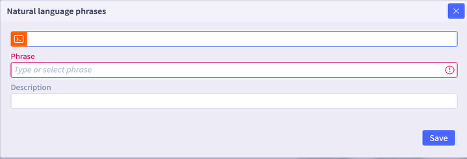
- Natural Language (NL) Phrase Descriptions: NL phrases now include descriptions to significantly enhance user readability and search efficiency.
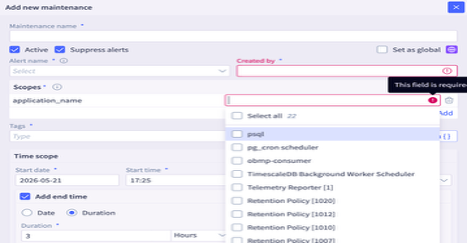
- Flexible Maintenance Window Scoping: Users can now define maintenance window scopes more efficiently using the “Select All” feature or by multi-selecting specific scopes.
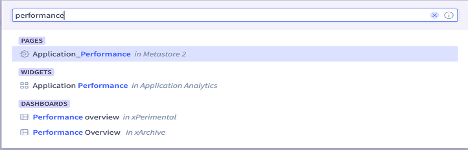
- Folder-Based Dashboard Naming: The S2AP platform now supports the use of identical dashboard names to improve organization and flexibility in complex environments as long as the names duplicated are located in different folders. This enhancement allows teams to maintain consistent naming conventions (for example, “Performance Overview”) across various departments or project-specific directories without naming conflicts.
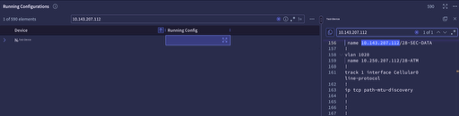
- Multi-device Config Search: This enhancement allows users to retain search values within the expanded view within the table and avoid typing or copying the same search value. By automatically persisting the search criteria when navigating between primary and detailed table views, the platform ensures a more efficient administrative workflow, enabling users to maintain context without manual data re-entry.
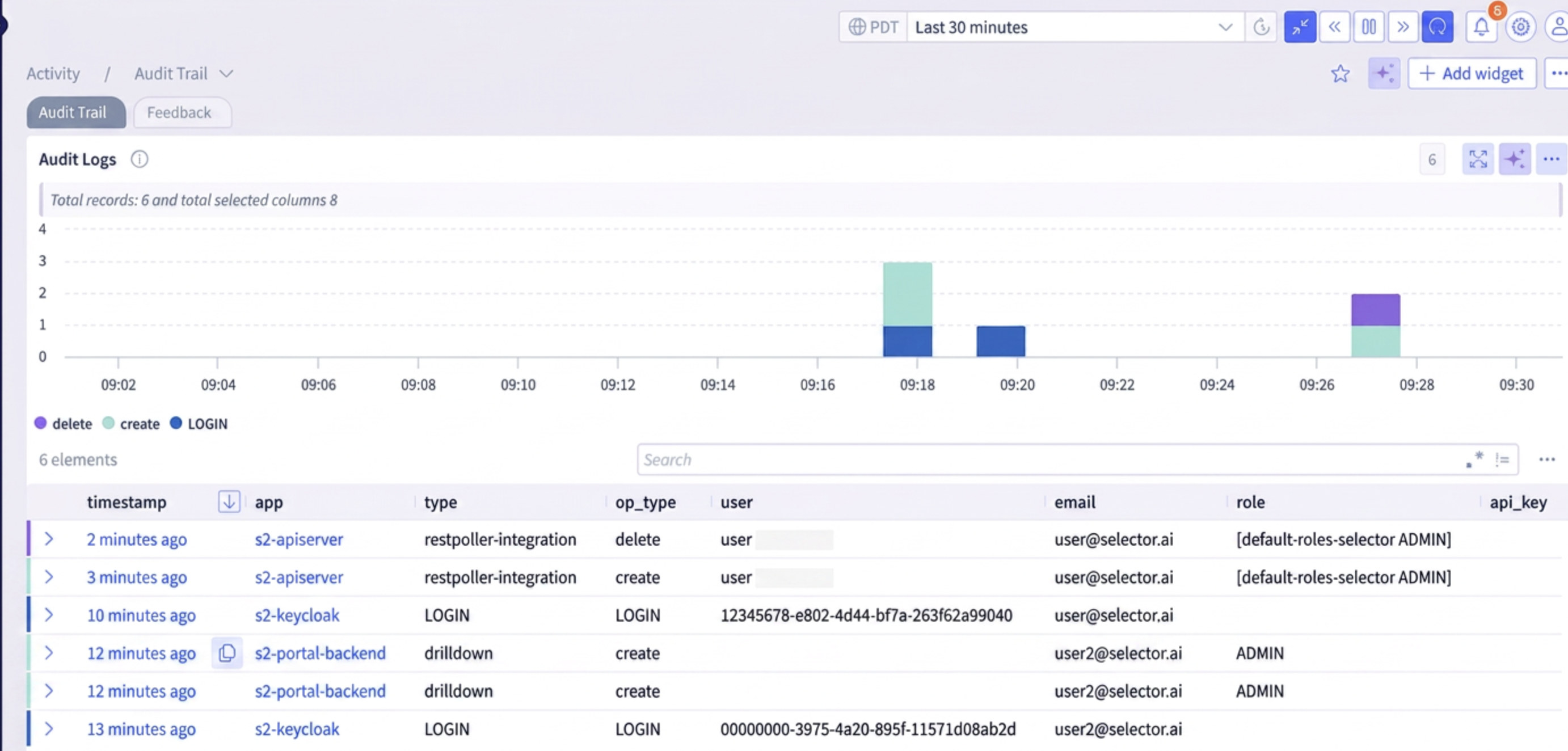
- Audit Log Enhancements: Audit trail is now enhanced to capture operations for integrations like SNMP, REST Poller and Splunk, and also to display the updated username when there is an S2AP role change.
2 - Selector Release Notes Version 3849 Dec 16 2025 to Feb 28 2026
Selector Release Notes for Version 3849
New Features and Enhancements
NOTE: Please consult with a solution engineer or Customer Success Manager for any required feature additions.
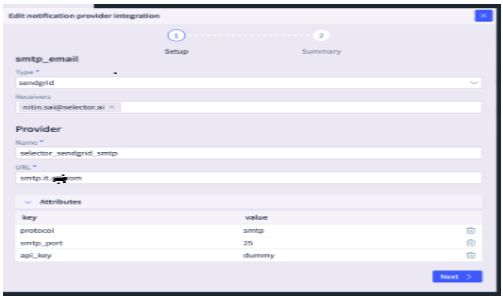
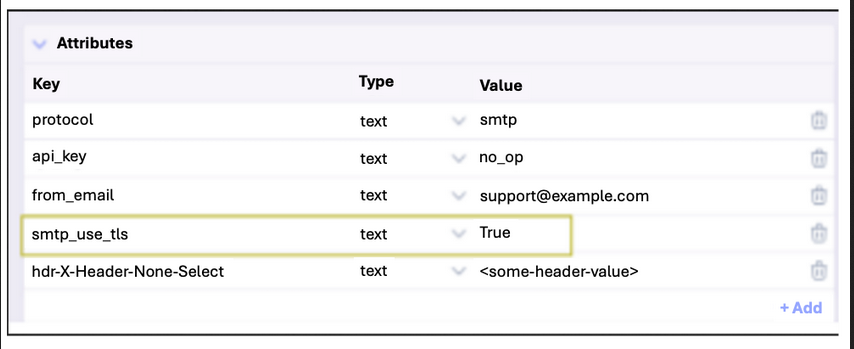
Secure SMTP Mail Transfer
Selector provides secure SMTP using TLS, which protects the credentials and the email content from being compromised.
The integration of TLS is crucial to establish a secure, encrypted tunnel for the transmission of email. This security mechanism performs a handshake process to authenticate the communicating servers and then encrypts all data exchanged between them.
SNMP Engine Integration with S2AP
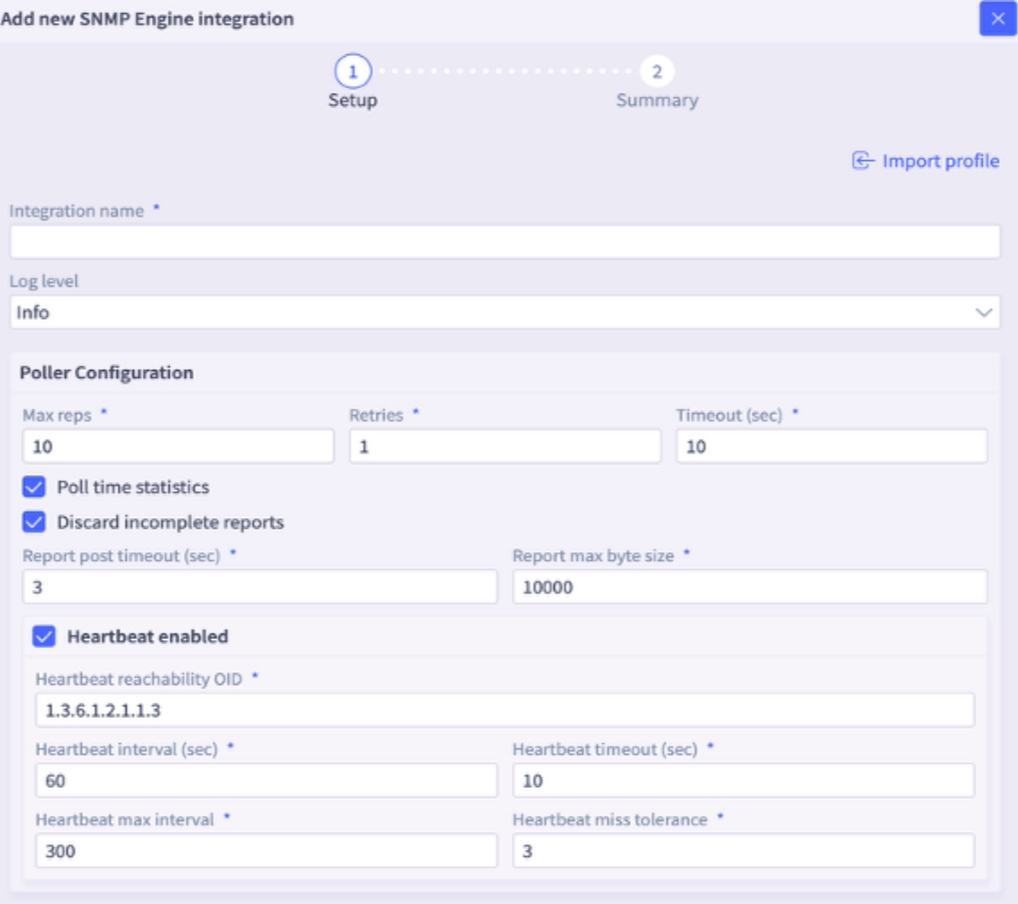
The SNMP Engine, a component of Selector Integrations, now offers UI configuration options. Previously, these settings could only be modified by using SSH into the SNMP remote engine. This enhancement provides greater ease of configuration.
Default Notification Providers
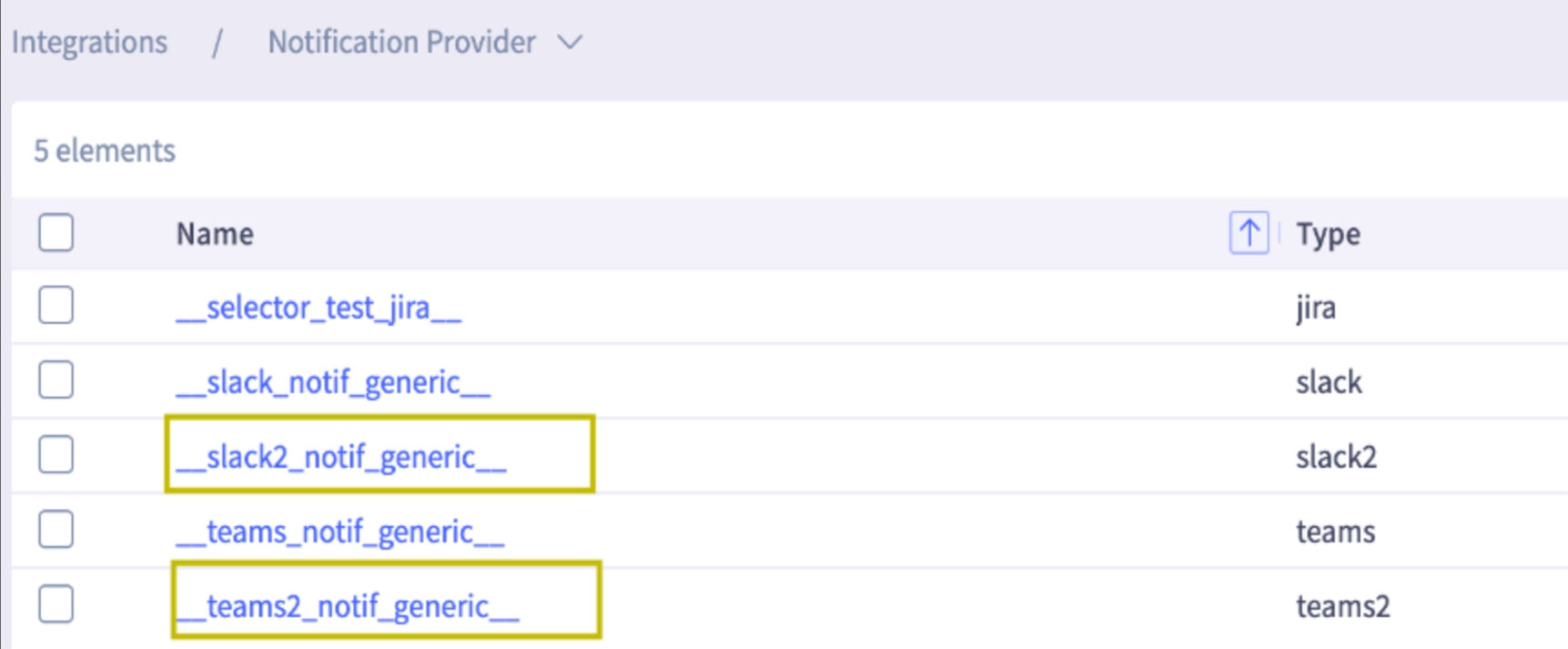
Enhanced Slack2 and Teams2 will be available as default notification providers with the latest version.
Note: New default versions of Slack and Teams are backward compatible.
These enhanced notification provider versions offer improved reliability, a more modern API, and streamlined configuration. The enhancements allow more robust and flexible notification workflows.
Maintenance Window Enhancements
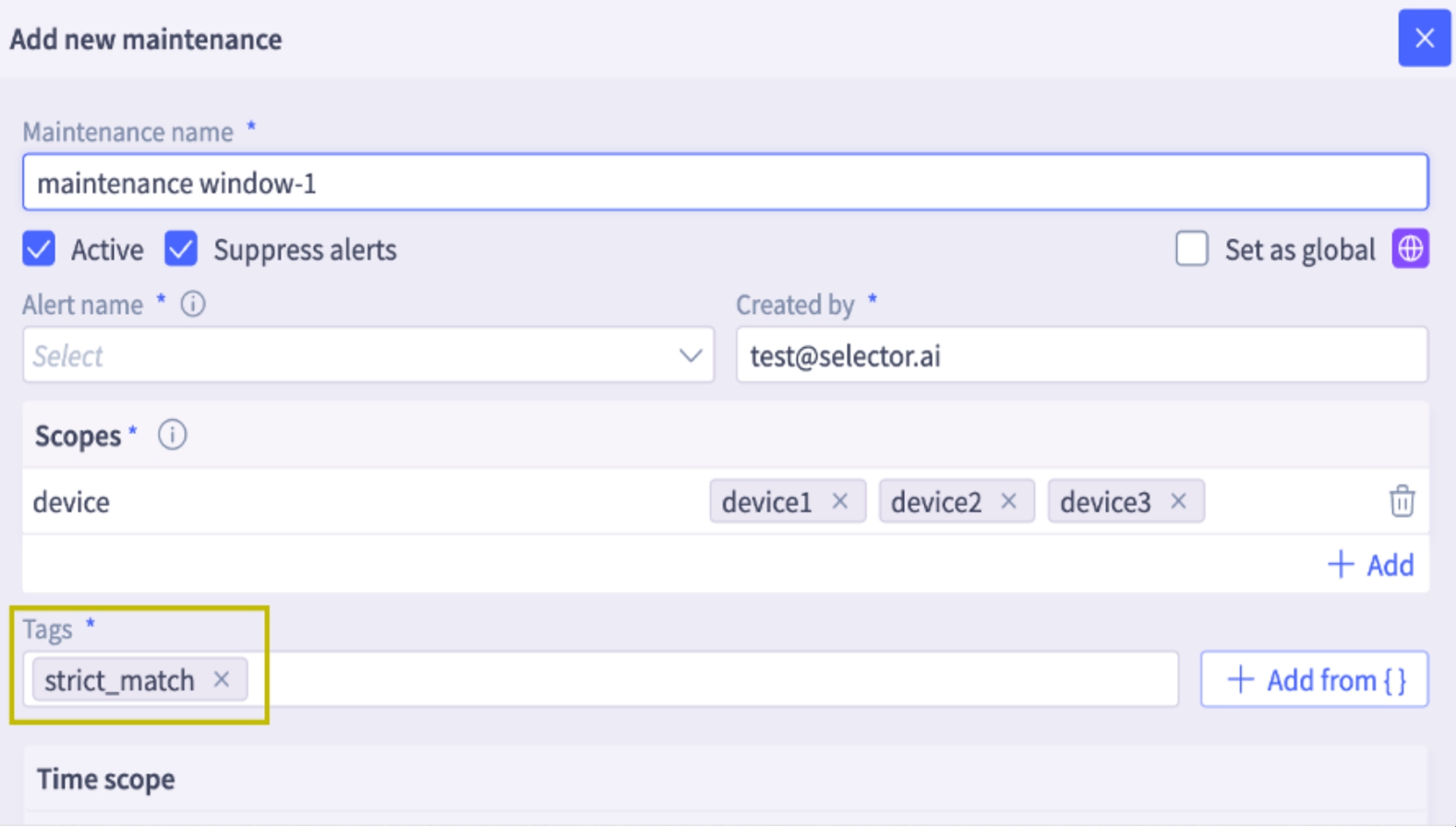
The system can now use the strict_match tag to configure maintenance windows, offering more granular alert suppression for device groups.
How it Works
- When a device is part of a group associated with a site or group, violations from those devices are correlated into a single alert.
- If strict_match is configured and a violation occurs involving (for example) device4 and device2 (which are part of a correlated alert), an incident is fired even if device2 is under the maintenance window. The incident summary indicates that device2 is under maintenance. Suppression only occurs if all violating devices are under maintenance.
Example
If strict_match is configured and a violation occurs involving device4 and device2 (which are part of a correlated alert), an incident will be fired if only device2 is under the maintenance window. The incident summary will indicate that device2 is under maintenance. Suppression only occurs if all violating devices are under maintenance.
Tabular Interface for Synthetics URLs
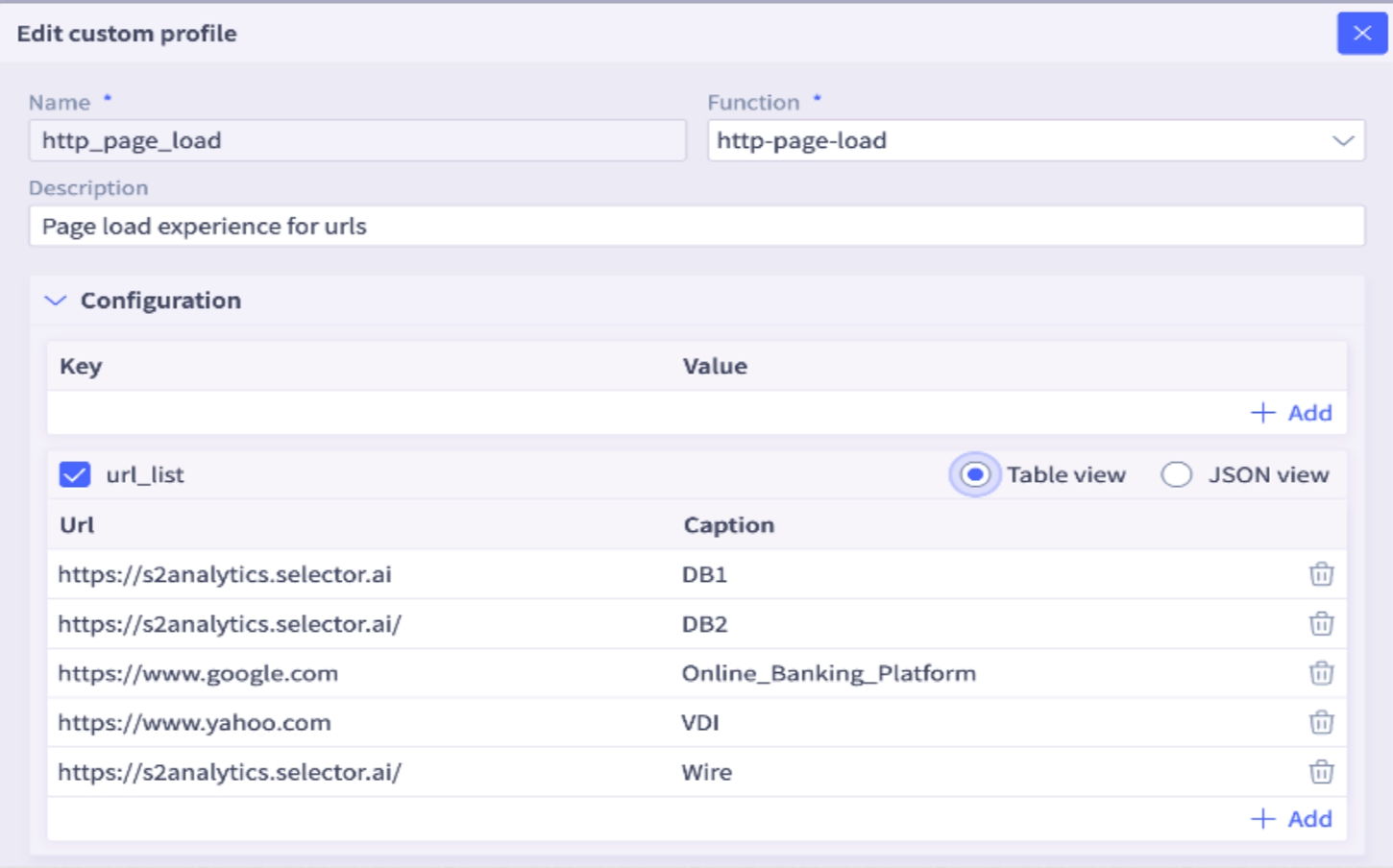
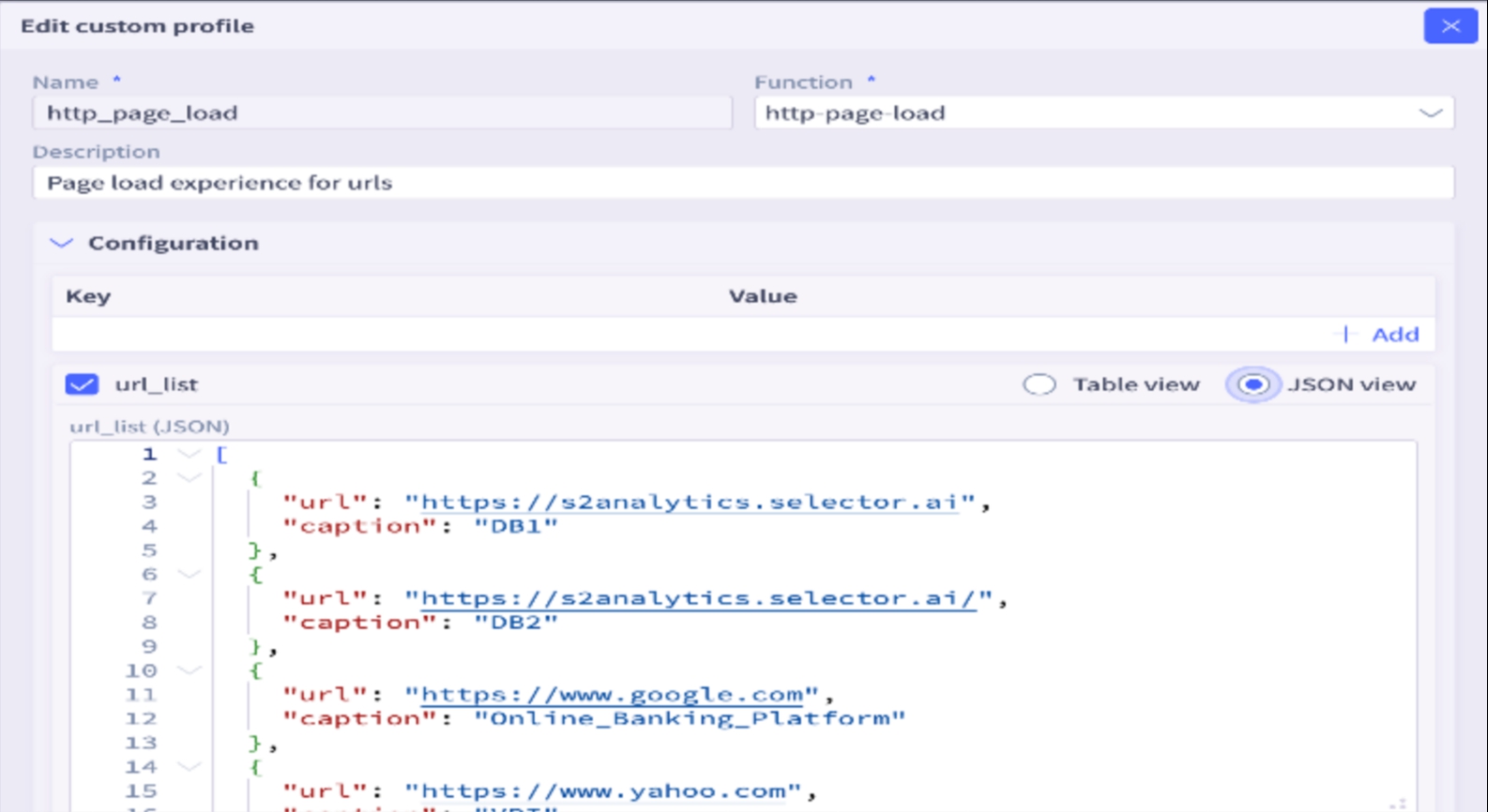
Synthetics URL supports a table view for better readability and addition of new entries.
- Improved Readability: The Synthetics URL feature now includes a table view for clearer presentation and easier entry management.
- Flexible Data View: The
url_listnow supports both Table View and JSON View.
User Feedback
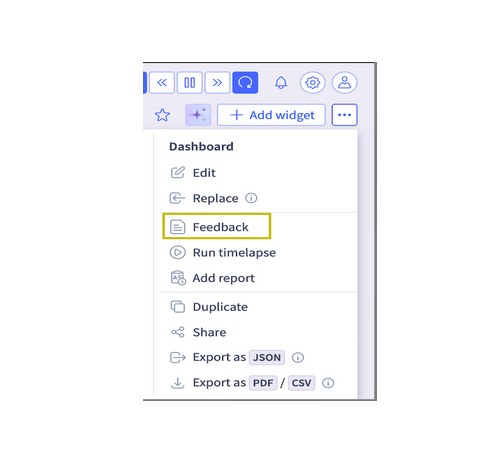
Selector has a robust User Feedback capability designed to provide deep insights into the user experience, capture innovative ideas for product improvements, and measure overall Customer Satisfaction.
Key Features:
- Feedback Collection: This feature is seamlessly integrated and available directly within every widget and dashboard across the platform, ensuring that users can provide context-specific feedback at the exact point of interaction.
- Direct Channel to Selector: The collected feedback serves as a direct, actionable communication channel from users back to the Selector product and development teams.
Access and Consolidation:
All feedback submitted through the various widgets and dashboards is centrally collected, organized, and accessible to the user via a dedicated section for easy review and follow-up.
The consolidated feedback repository can be found by navigating to: Activity -> Feedback.
RBAC Enhancements for Granular Assignment Support
A significant enhancement is available for RBAC, introducing support for nested, granular dashboard permissions. This new capability increases the flexibility and precision available to administrators when managing user access to dashboard resources.
Previously, access controls were applied at top folder level, limiting an administrator’s ability to tailor exact permissions for diverse user roles. With this new, granular approach, administrators can define highly specific access rights down to the individual dashboard level, even within a structured folder hierarchy.
Key Benefits of Granular Nested Permissions:
- Precise Access Control: Administrators can now ensure that users view only the data and visualizations directly relevant to their responsibilities, improving focus and data security.
- Hierarchical Flexibility: Permissions are respected and manageable within nested folder structures, allowing for a logical organization of dashboards without sacrificing granular control.
- Improved Compliance and Security: By restricting access to sensitive data on a per-dashboard basis, organizations can more easily comply with data governance policies and reduce the risk of unauthorized data exposure.
- Streamlined Administration: While offering greater detail, the system is designed to be intuitive, allowing administrators to efficiently assign a different, distinct set of dashboard permissions to each RBAC role.
Illustrative Example:
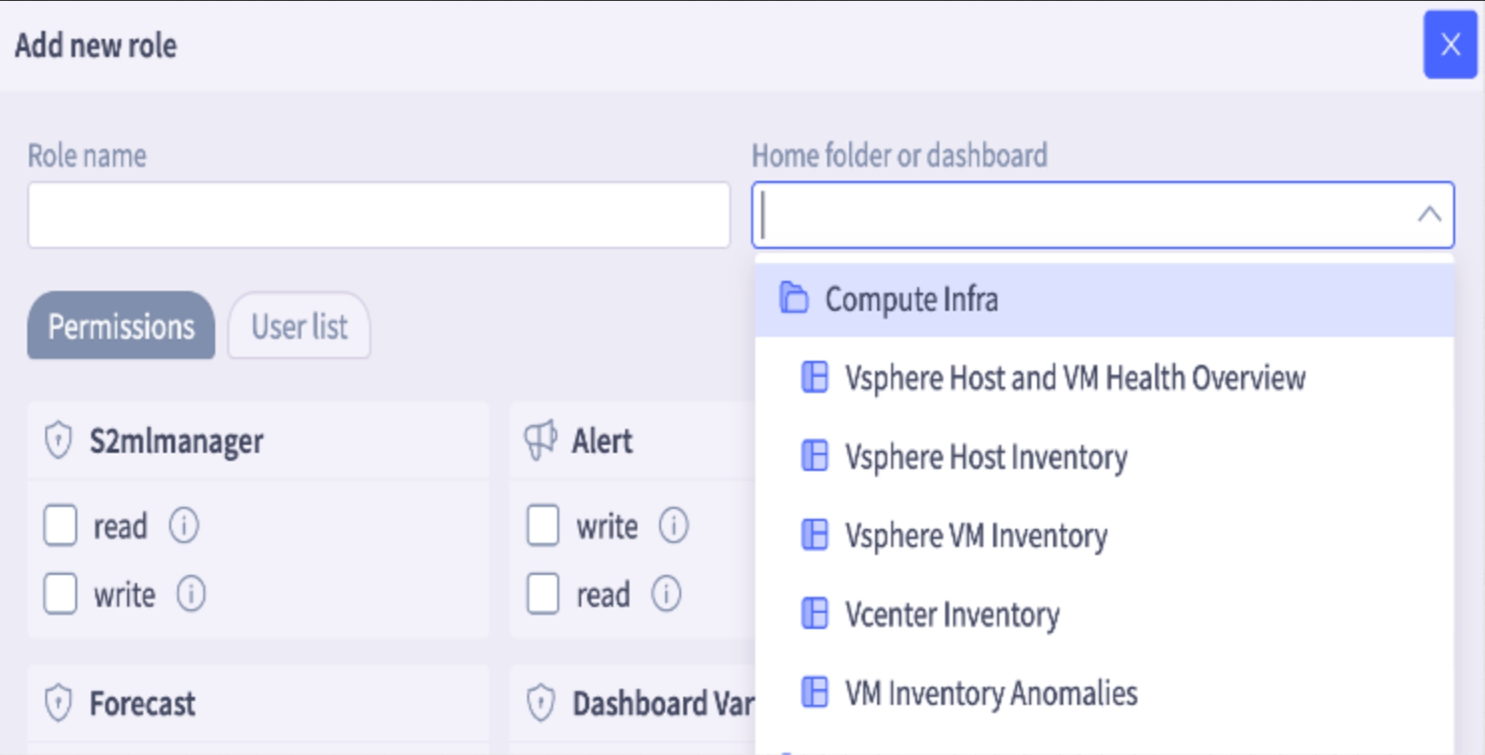
Consider a folder named Compute Infra containing the following four dashboards:
- Dashboard1: Vsphere Host and VM Health
- Dashboard2: Host inventory
- Dashboard3: VM inventory
- Dashboard4: Vcenter inventory
Using the new granular permission system, an administrator can assign these resources to separate, distinct roles:
- Technical Operations Team Role: assigned permissions only for Dashboard1 and Dashboard3.
- Executive Leadership Role: assigned permissions only for Dashboard3.
- Security Analyst Role: assigned exclusive permissions for Dashboard3 and Dashboard4.
- Project Manager Role: assigned permissions for Dashboard4 and a Read-Only view of Dashboard1.
This level of control ensures that each role receives the exact set of tools and information required for their duties, optimizing the user experience while enforcing strict access policies.
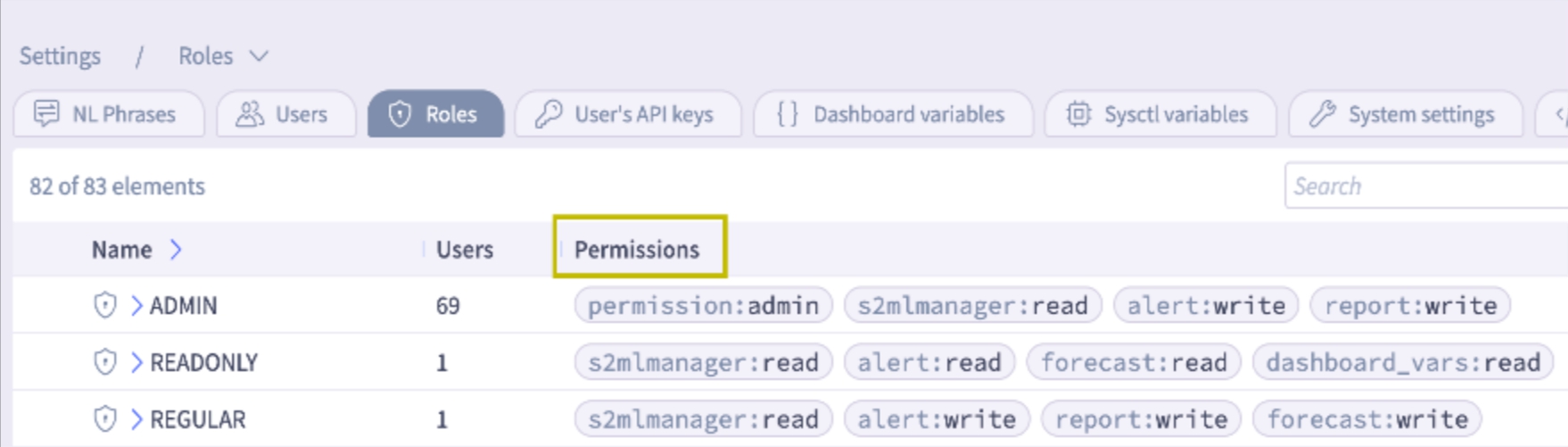
- The roles table now incorporates a Permissions column and the number of users in each category to enhance overall clarity.
Enhanced Readability of SNMP Trap Varbinds Events
Previously, the variable bindings (varbinds) included in SNMP Traps were presented as raw OIDs and their corresponding values. While technically accurate for machine processing, this format made it challenging for system administrators and monitoring personnel to quickly interpret the significance of the trap without cross-referencing OIDs with MIBs. The data was generally not immediately human-readable, leading to delays in diagnosing and responding to issues.
This feature has been significantly enhanced to improve operational efficiency and ease of use. The system now automatically translates and presents the SNMP Trap varbinds data in a human-readable format.
As a result, when an SNMP Trap is received and processed, the varbinds associated with it are displayed with clear, descriptive labels and values, allowing users to instantly understand the context and severity of the event without manual lookups or external tools. This critical improvement streamlines the monitoring, troubleshooting, and alert handling process, leading to faster identification and resolution of network and system issues.

Enhanced Drilldown Functionality in Gauge Widget
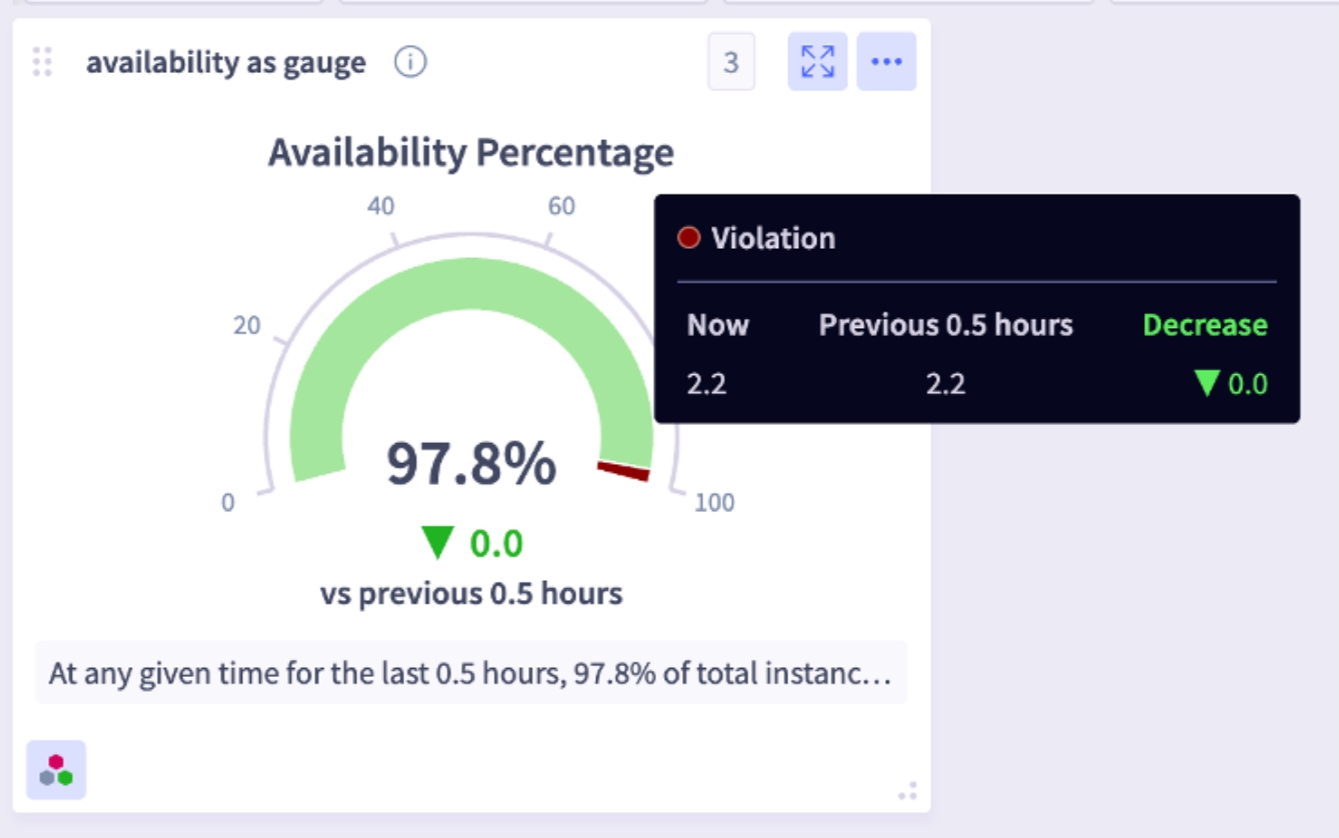
The Gauge widget has been enhanced to fully support drilldown capabilities, specifically for accessing add-on details. This new feature allows users to click directly on the Gauge widget to seamlessly navigate to and view the underlying data. This provides a more interactive and efficient way to explore granular information without leaving the dashboard view, improving the overall user experience for data analysis and troubleshooting.
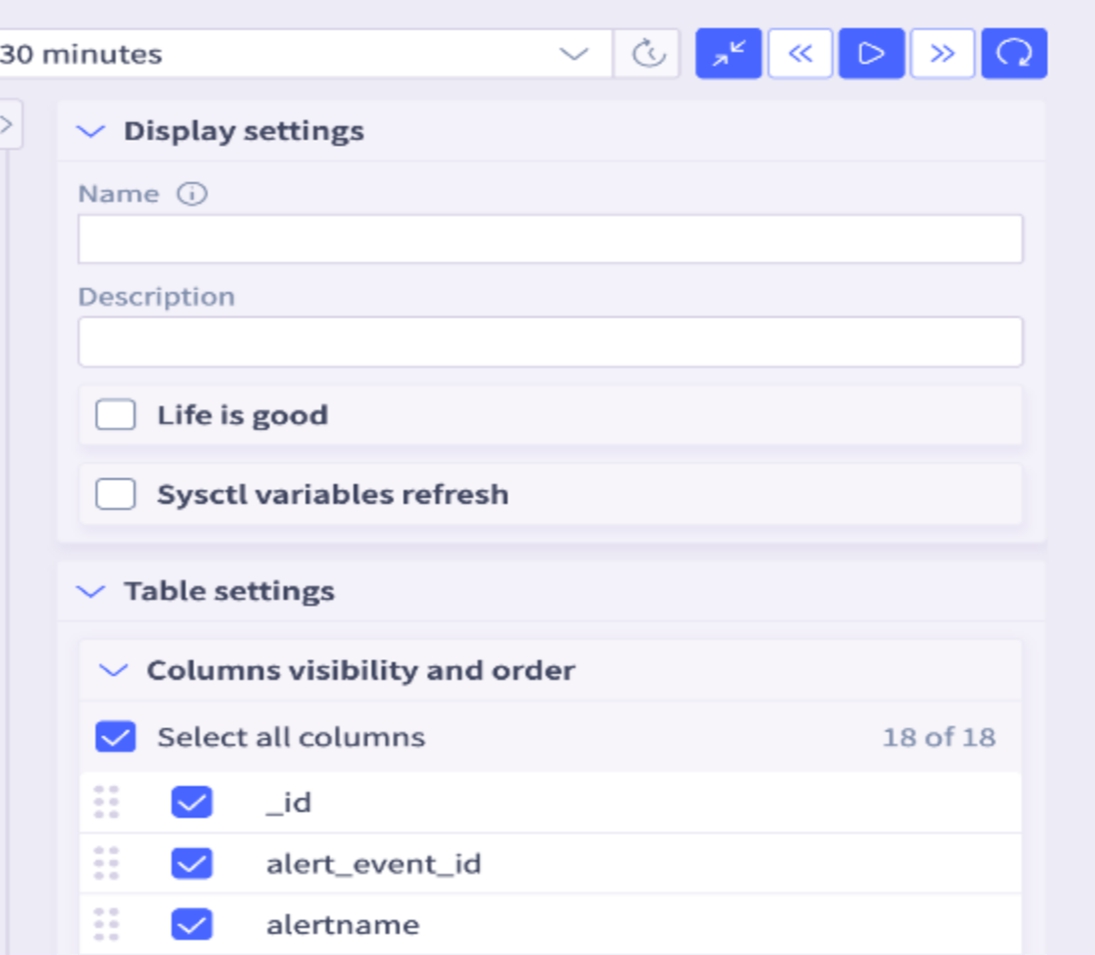
Query Builder Table Enhancements
- Columns can now be reordered.
- Columns can be hidden by unchecking them.
Admin Experience Enhancements
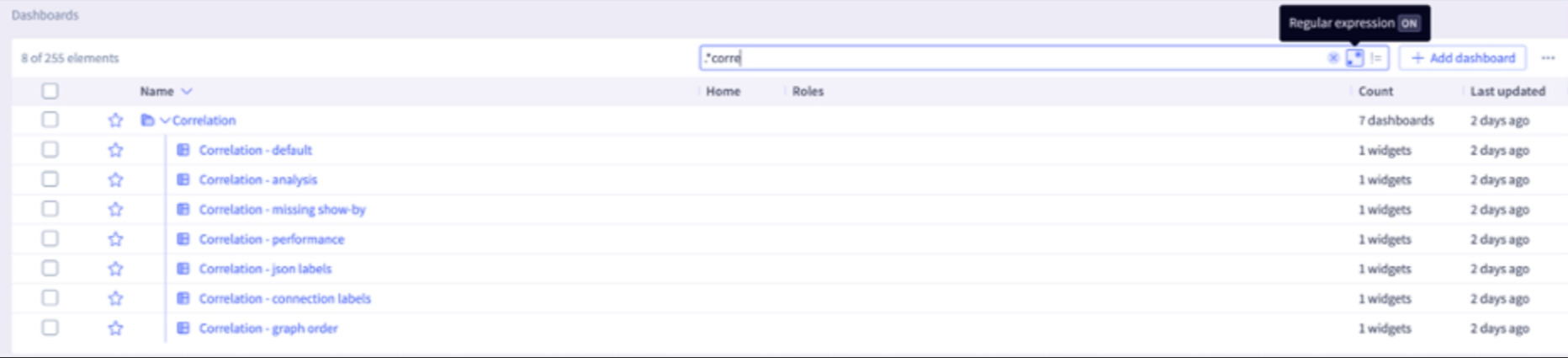
Search supports with regular expression patterns for tables
Note: Regular expression is turned off by default, enabling Regex as the first step.Toggle Regex ON/OFF in the search bar.
- Big text widgets have been enhanced to support three decimal values (for example 99.432) and dynamic font sizing.
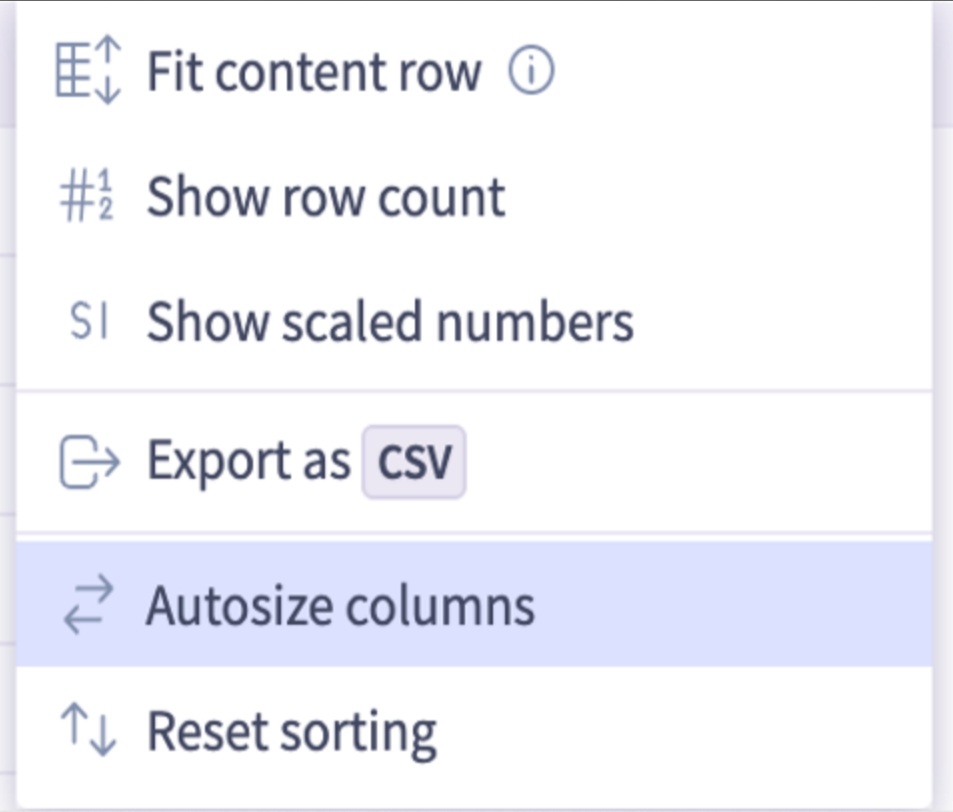
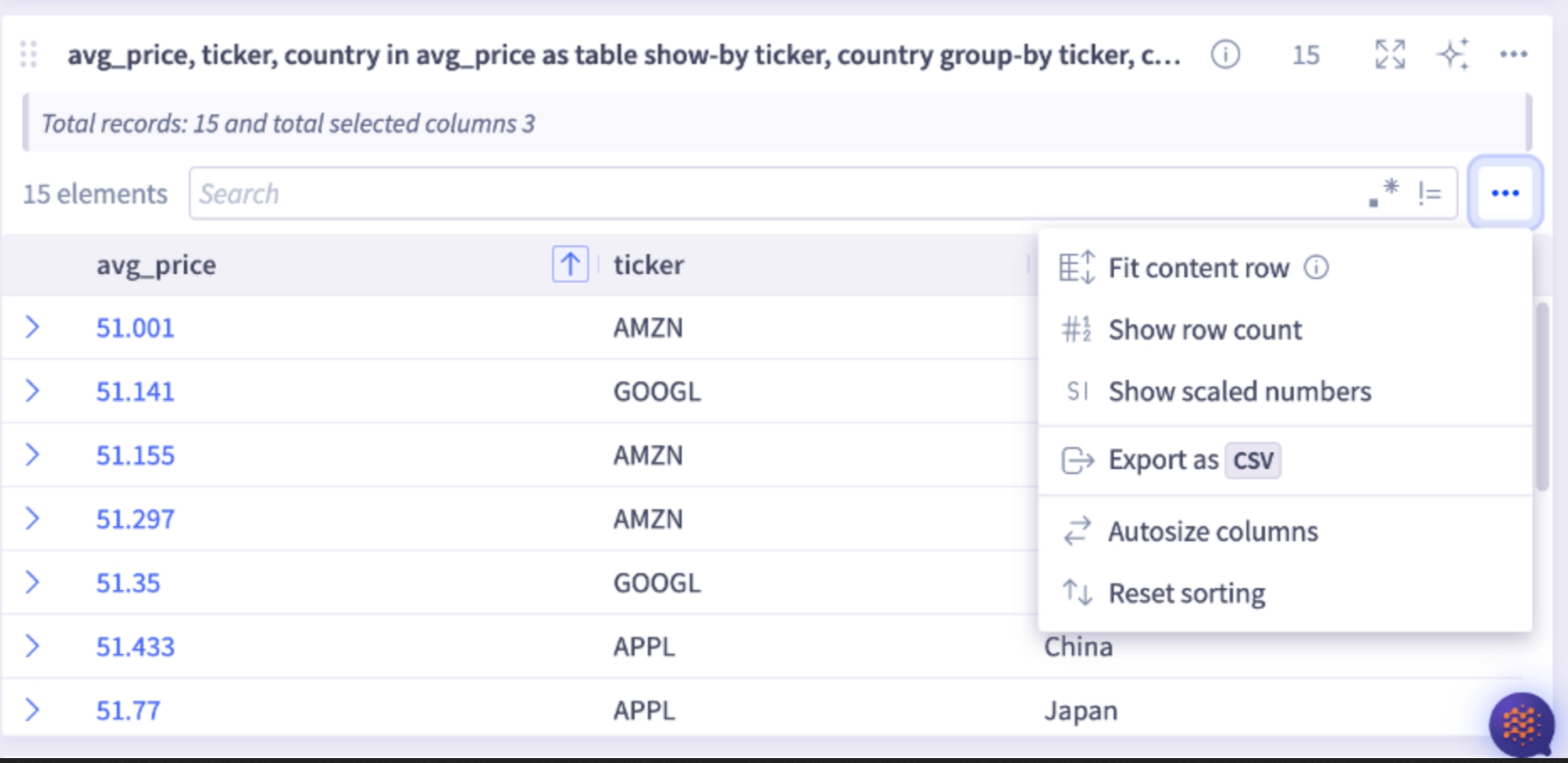
- Tables now feature autosize columns, which automatically adjust their width to fit the data they contain.
3 - Selector Release Notes Version 3686 Oct 6 to Dec 15 2025
Selector Release Notes for Version 3686
New Features and Enhancements
Slack Bot Usage Metrics
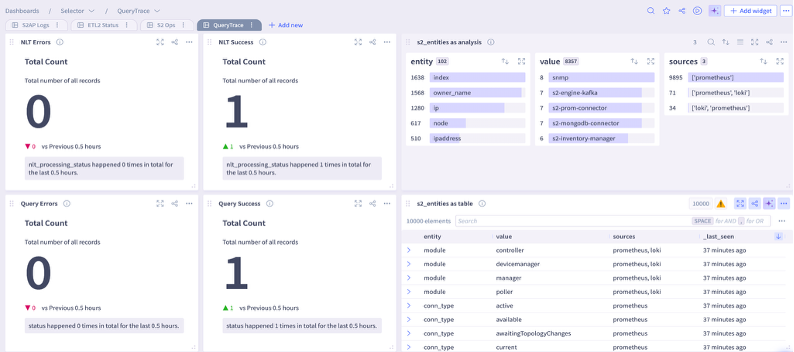
A new queryable fetches Natural Language queries and its usage metrics: s2_query_trace
You can find the user who executed the query, the s2ql query, the status, and the time it took to return the response.
For example, you can display the results of the s2_query_trace as a table:

Or you can display the s2_query_trace queryable in a dashboard (see lower right panel):
Disable or Remove Inactive Users
Identity Access Management (IAM) now monitors and disables or deletes users who have been inactive for a specified number of days.
You enable this setting by initiating a request to Selector Software or Customer Success representatives.
Configure Customised Thresholds Based on Vendor
Customers now have the ability to define custom thresholds for any fixed pipeline. This allows customers greater granularity to set thresholds for each vendor.
For example, you can configure separate thresholds for the CPU utilization metric for each vendor such as Cisco, Arista, Fortigate, and so on.
You configure this feature by initiating a request to Selector Software or Customer Success representatives.
Enhanced Dashboard Variables in NL Queries
Queries can use predefined variables, retrieve the default values, and use those values for query building. This feature integrates Dashboard variable resolution into the existing Natural Language Translation (NLT) query system.
For example, if the s2ql query is device_status as big-text where fqdn=~{{test-device-sw}} and the NL phrase is how is test-device-sw, the correct response is returned.
Sorting Capabilities in UDF Tables
Sorting is available for tables using a transform User-Defined Function (UDF) to allow a customer-preferred sorting order.
This feature enhances the current supported S2AP UI sorting by adding support for sorting of UDF tables
For example, the query name,aggregate.count:No_of_job_ids in automation_observability_state as table where hasParent =no group-by name order-by aggregate.count:desc in last 7 days produces the result sorted by the aggregate count in descending order.
4 - Selector Release Notes Version 3531 Jul 15 to Oct 1 2025
Selector Release Notes for Version 3531
New Features and Enhancements
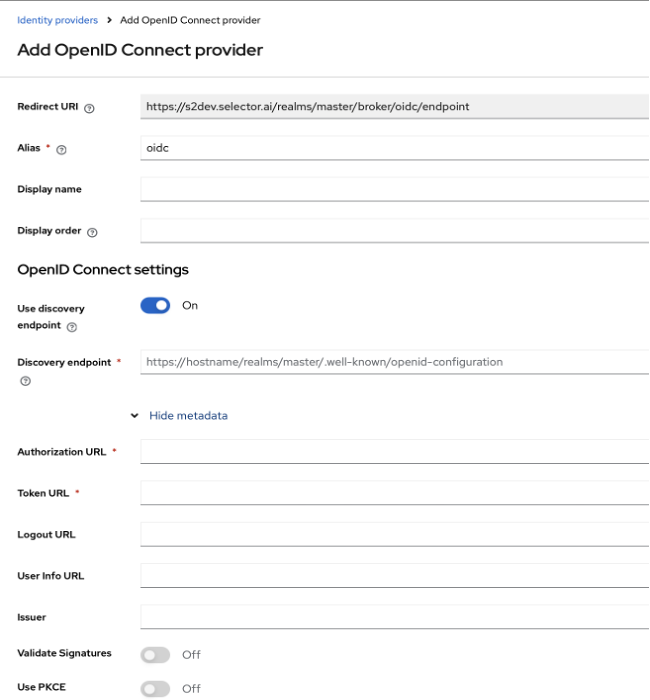
New Toggle for PKCE
A new toggle for the PKCE option for OIDC is included for SSO Configuration (see bottom toggle below)
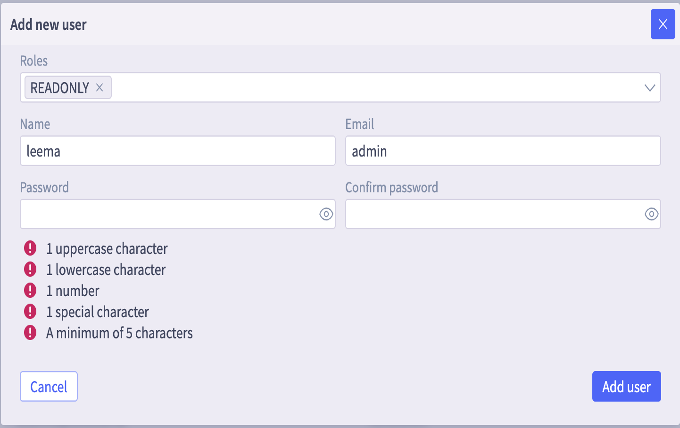
Password Policy Restrictions for Local Users
Password policy restrictions for Local user accounts are modified for better access security.
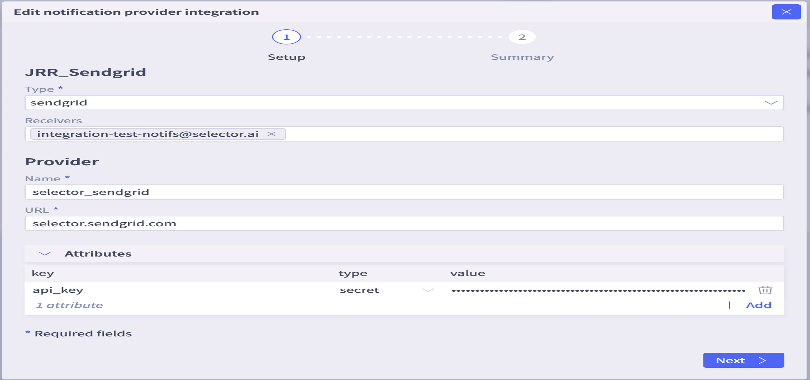
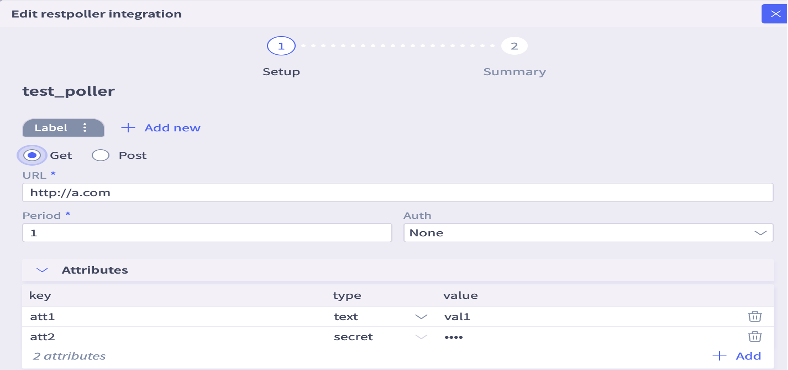
Notification Provider and Rest Poller Password Masked
Notification provider and Rest poller configuration passwords are masked for better security. Change the type field to “secret” in any existing configuration (see bottom field in figures below).
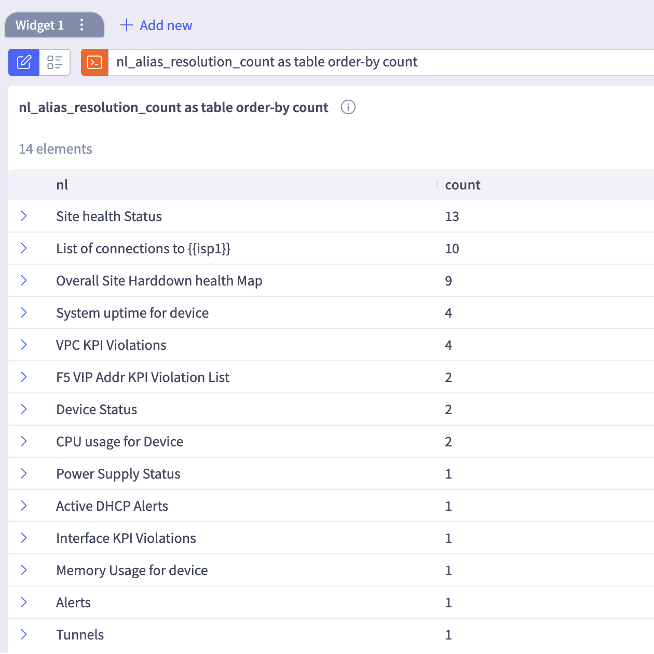
Telemetry of Most Used NL Alias Included
Note listing in figure below.
Display Thresholds on Line Plots
When more than one KPI is present in a lineplot, you need to click on a single KPI to know its corresponding threshold value.
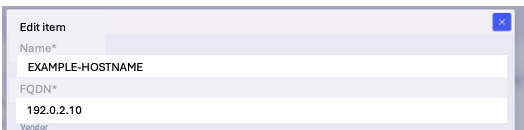
Option to Edit IP Address or Hostname in Device Inventory
There is now an option to edit the IP address or hostname in the device inventory. Customers often have a huge inventory of devices from different vendors. As new devices are added, customers often want to conserve their IP addresses, and assign a new device an existing IP address. Since device and IP are the primary keys in the device_inventory table, customers had to delete the previous entry and add a new one which is manually intensive.
With this feature, S2AP now supports editing primary keys in Metastore Inventories. This enables customers to easily automate API operations, with minimum information, allowing faster operations that are less prone to errors.
SNMP Traps Included in Correlation Engine
SNMP traps can be included in correlation engines in addition to syslogs for providing better insights.
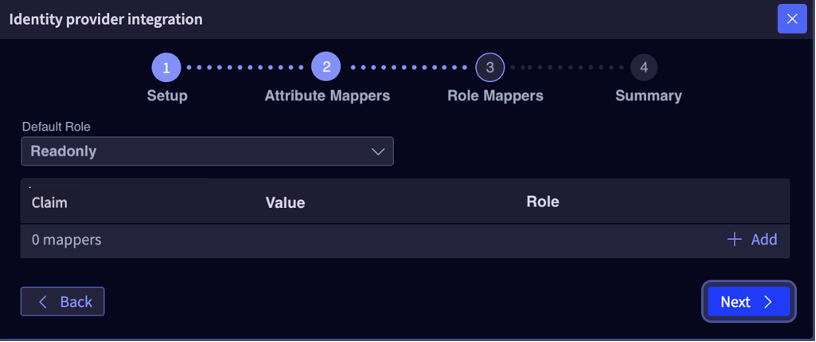
Role Mapping Support
Selector now supports dynamically mapping fields from customer’s SSO to appropriate RBAC on the S2AP platform at login time. Role Mappers can be configured in the S2AP UI providing default role mapping as well as support for SSO Claims mapping (groups etc.). This is supported across such as Azure, Google, Okta as well as any generic OIDC capable IDP.
In this way, Selector ensures an enterprise-grade experience for customers: secure right-scoped role-based user access adhering to least privilege principles. This feature enables customers to meet their user access compliance needs.
Admin Experience Enhancements
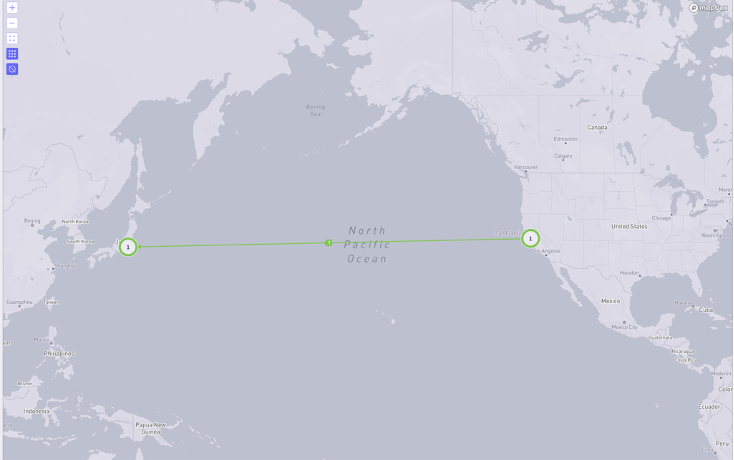
Enhanced Topology Map
The topology map view is now enhanced to show direct routes.
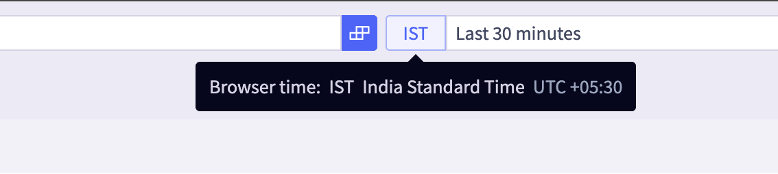
Timezone and Timestamp Hover
You can now hover and view timezone and timestamp information for better visibility.
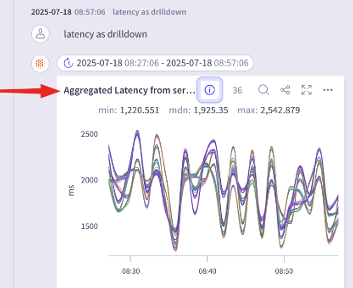
Drilldown Widget Descriptions
Widget descriptions are now included for drilldown queries.
Metastore2 API Enhancements
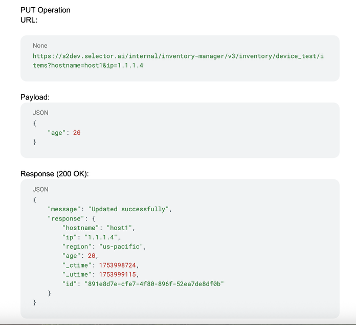
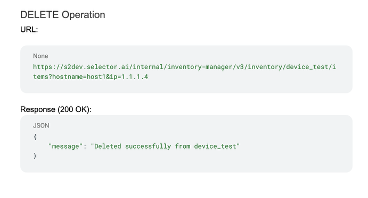
The v1 version of Inventory management APIs used for managing entries in a device inventory used a system generated id for inventory management operations like GET, PUT, DELETE.
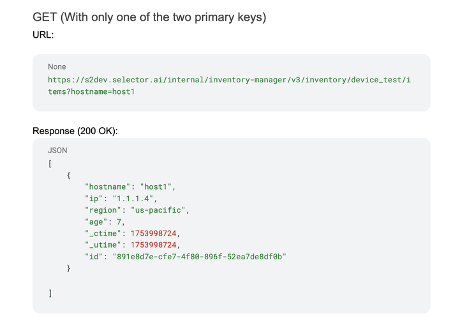
The Metastore2 Inventory Management APIs have been enhanced to perform operations using Primary Keys. These are the v3 APIs. This greatly simplifies the device inventory management operations for customers who can use known primary keys rather than requiring them to track a random internal system ID.
With v3 APIs it is possible to retrieve a single entry in an inventory (GET operation) using all primary keys or with a single primary key when multiple primary keys are present.
The example below shows PUT and DELETE operations with Primary keys:
Primary keys for device_test inventory are ip and hostname, the example below shows a GET operation with only one of two primary keys:
5 - Selector Release Notes Version 3379 May 5 to July 14 2025
Selector Release Notes for Version 3379
New Features and Enhancements
Selector support with MCP
Selector supports the Model Context Protocol (MCP) which provides a standard way for AI models/LLMs to communicate with a variety of data sources and tools (similar to plugging in a standard USB device), providing an enhanced querying experience to customers,
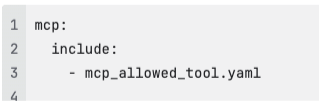
Selector’s MCP Server enables Claude Desktop to securely interact with Selector’s APIs, run queries, and access AI-powered tools-all via the Model Context Protocol (MCP).
The following tools are integrated with MCP server:
ask_selector: Allows users to send a chat-style question or content to the Selector AI and receive a conversational response. Input is validated using Pydantic and sent to the /api/collab2-slack/copilot/v1/chat endpoint.
query_selector: Enables execution of S2QL queries (structured queries for logs, events, or metadata) via the Selector backend. Only commands starting with #select are accepted, and results are fetched from /api/collab2-slack/command.
get_selector_phrases: Fetches predefined phrases or aliases from Selector, optionally filtered by a specified source (e.g., “user”, “s2ml”, or “widget”), using the /api/nlt2/alias endpoint.
Support Dashboard Variables in Natural Language (NL) Queries
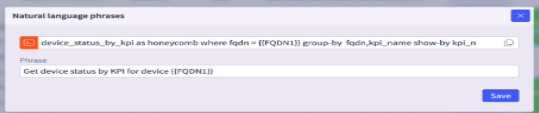
The S2AP platform supports dashboard variables allowing the ability to filter on metastore entity properties such as site, model, vendor and devices for dashboard display. This feature extends Dashboard variable support to Natural Language queries while interacting with ChatOps interfaces in S2AP UI, or Collaboration tools like Slack or Microsoft teams, providing consistent and enhanced user experience with queries.
Netbox Enhancements
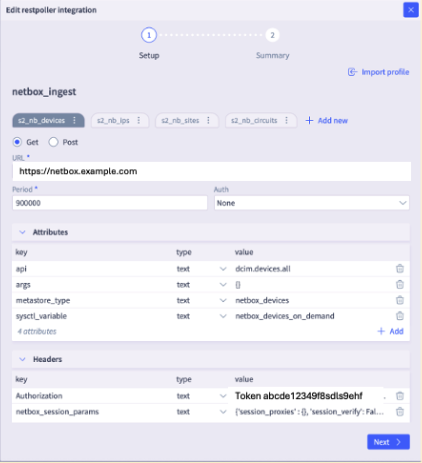
Netbox widgets are included into the Netbox folder, added to dashboards directory and it can support up to 20K entries.
RBAC Enhancements
Selector supports secure and least privilege access principles by ensuring that only admin users have access to integrations, and S2AP internal systems like Mongo DB and Kafka. Non-admin users will not have access to these. If any data is accessed from Mongo DB or Kafka, access log is included for auditing purposes.
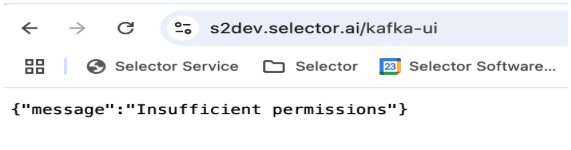
User have the ability to create and view aggregate routes:
- Authorized users can now create and view an aggregate collection for internet routes.
- Like the aggregate views provided for L3VPN routes, authorized users can now query the aggregate views for internet routes as well.
Admin Experience Enhancements
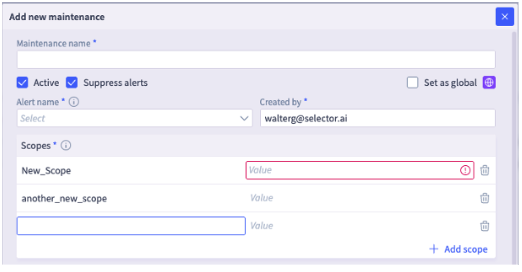
Maintenance window scope names are case insensitive
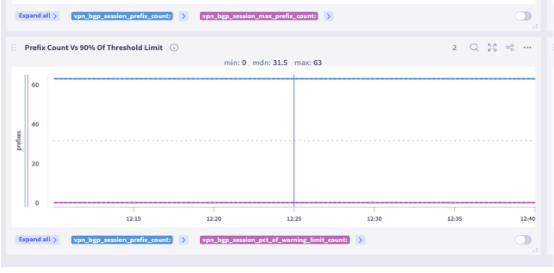
Optional Dotted Median Lines in a Line Plot
For better readability, dotted median lines in a Line Plot are optional.
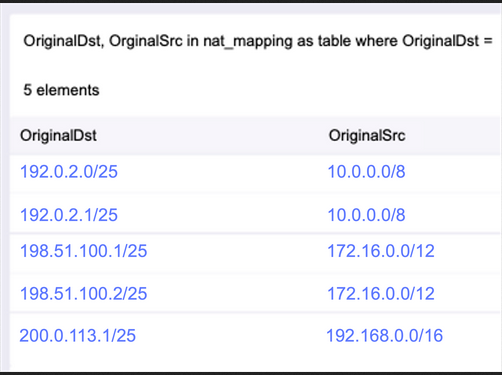
For mongodb, an IP address prefix, both the low and high value of the prefix range, is converted into a big integer (bigint) format. For example, the prefix 10.0.0.0/8 is converted into low bigint 167772160 and high bigint 184549375 for mongo aggregation pipelines.
IP to Prefix
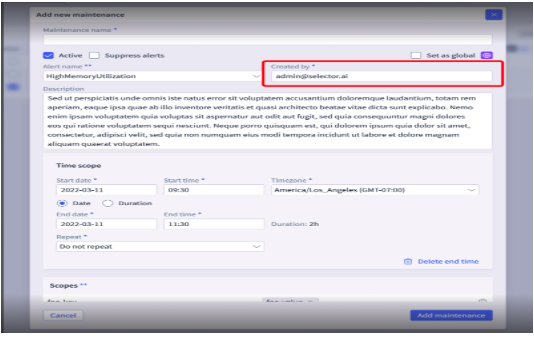
Maintenence Window Creator
When duplicating the maintenance window, will now show ‘created by’ as ‘current logged in user’ instead of the originator.
Topology View Lock Settings
You can lock the topology view settings (layout) so that it stays that way even with dashboard variables.
Alert/Notification Enhancements
Resolved alerts from Selector will be excluded from rate limiting features. This will allow ITSM(BigPanda) to get notified of resolved alerts resulting in improved alert management for customers.
In addition to the previously supported Sendgrid based notifications, Selector now allows customers to configure their SMTP server for email notifications and alerting, providing improved security and email management control for customers.