Selector Release Notes Version 3849 Dec 16 2025 to Feb 28 2026
Categories:
Selector Release Notes for Version 3849
New Features and Enhancements
NOTE: Please consult with a solution engineer or Customer Success Manager for any required feature additions.
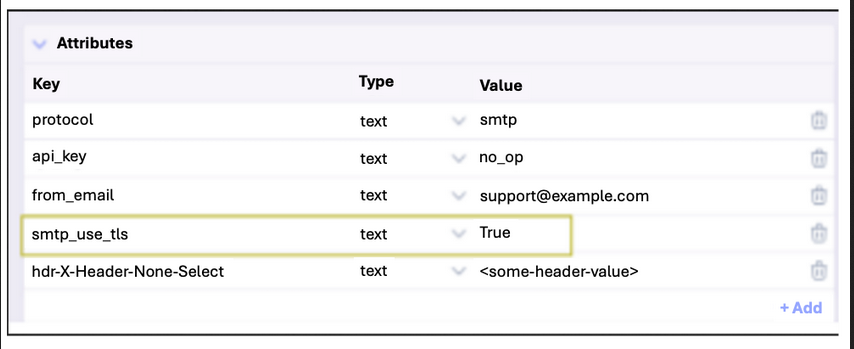
Secure SMTP Mail Transfer
Selector provides secure SMTP using TLS, which protects the credentials and the email content from being compromised.
The integration of TLS is crucial to establish a secure, encrypted tunnel for the transmission of email. This security mechanism performs a handshake process to authenticate the communicating servers and then encrypts all data exchanged between them.
SNMP Engine Integration with S2AP
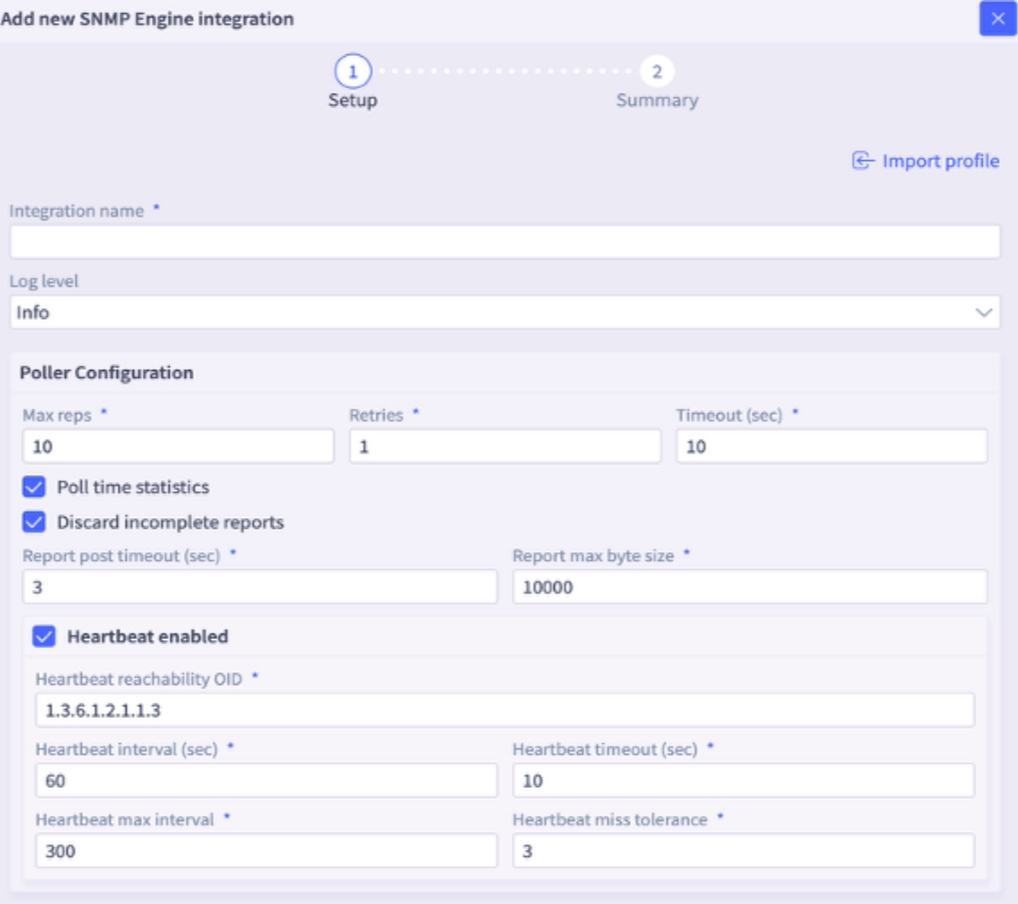
The SNMP Engine, a component of Selector Integrations, now offers UI configuration options. Previously, these settings could only be modified by using SSH into the SNMP remote engine. This enhancement provides greater ease of configuration.
Default Notification Providers
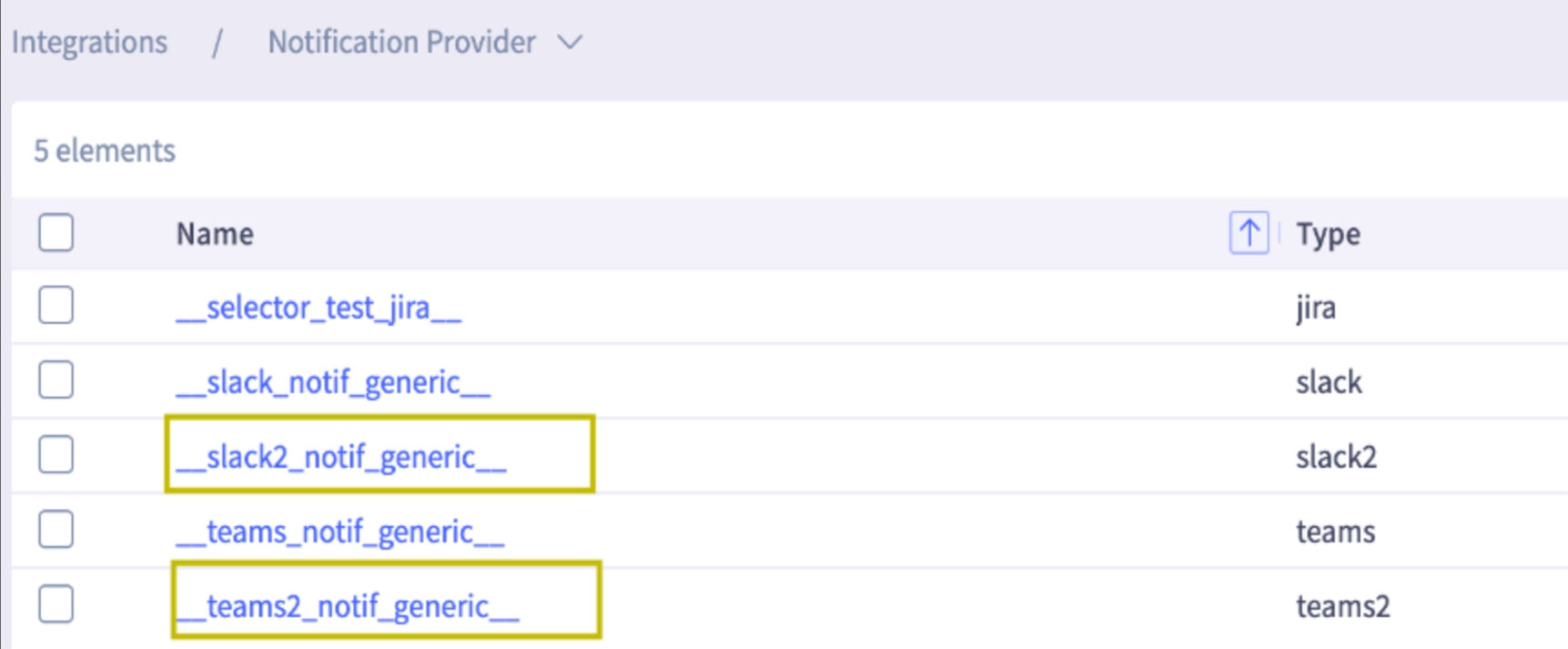
Enhanced Slack2 and Teams2 will be available as default notification providers with the latest version.
Note: New default versions of Slack and Teams are backward compatible.
These enhanced notification provider versions offer improved reliability, a more modern API, and streamlined configuration. The enhancements allow more robust and flexible notification workflows.
Maintenance Window Enhancements
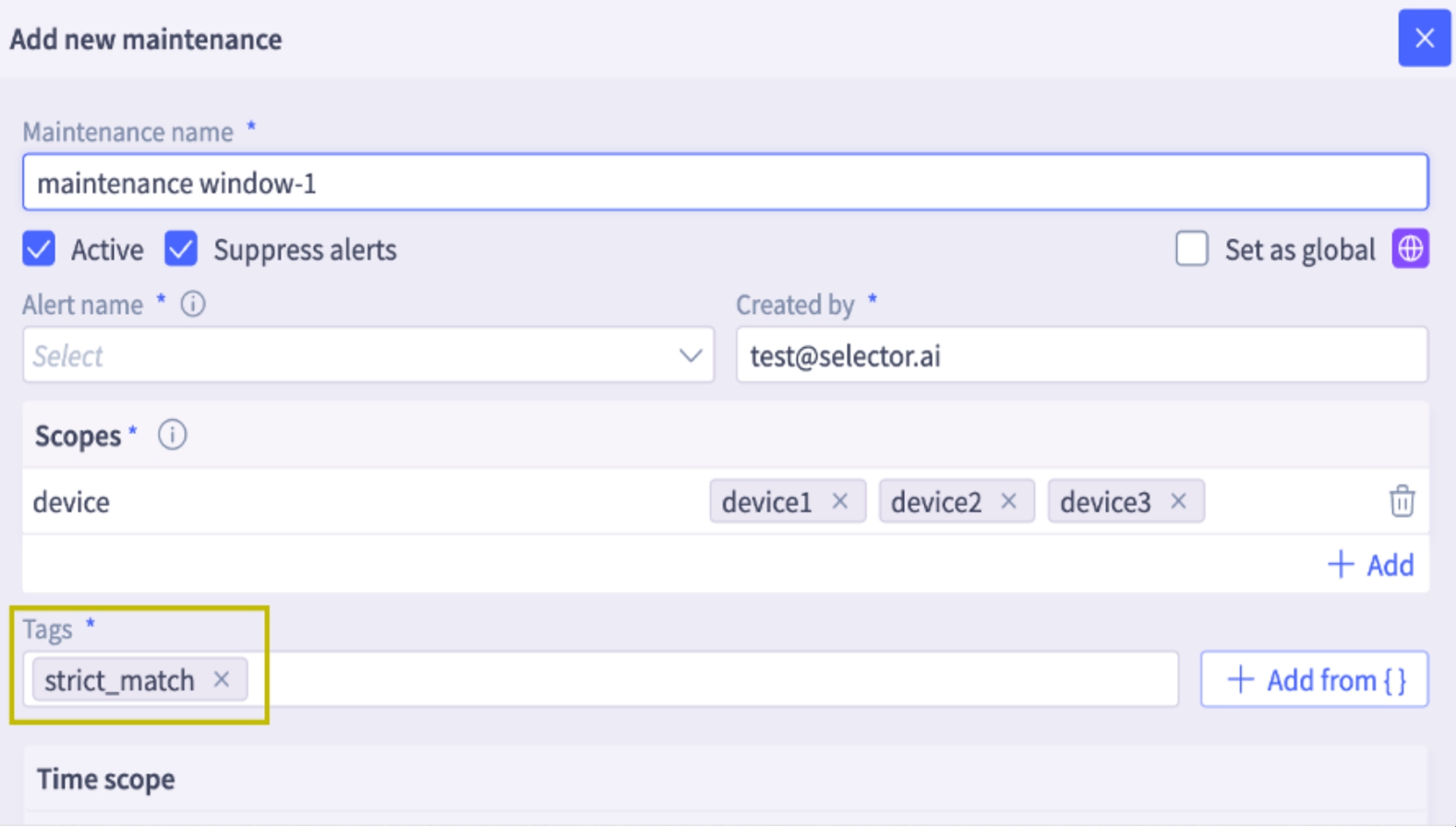
The system can now use the strict_match tag to configure maintenance windows, offering more granular alert suppression for device groups.
How it Works
- When a device is part of a group associated with a site or group, violations from those devices are correlated into a single alert.
- If strict_match is configured and a violation occurs involving (for example) device4 and device2 (which are part of a correlated alert), an incident is fired even if device2 is under the maintenance window. The incident summary indicates that device2 is under maintenance. Suppression only occurs if all violating devices are under maintenance.
Example
If strict_match is configured and a violation occurs involving device4 and device2 (which are part of a correlated alert), an incident will be fired if only device2 is under the maintenance window. The incident summary will indicate that device2 is under maintenance. Suppression only occurs if all violating devices are under maintenance.
Tabular Interface for Synthetics URLs
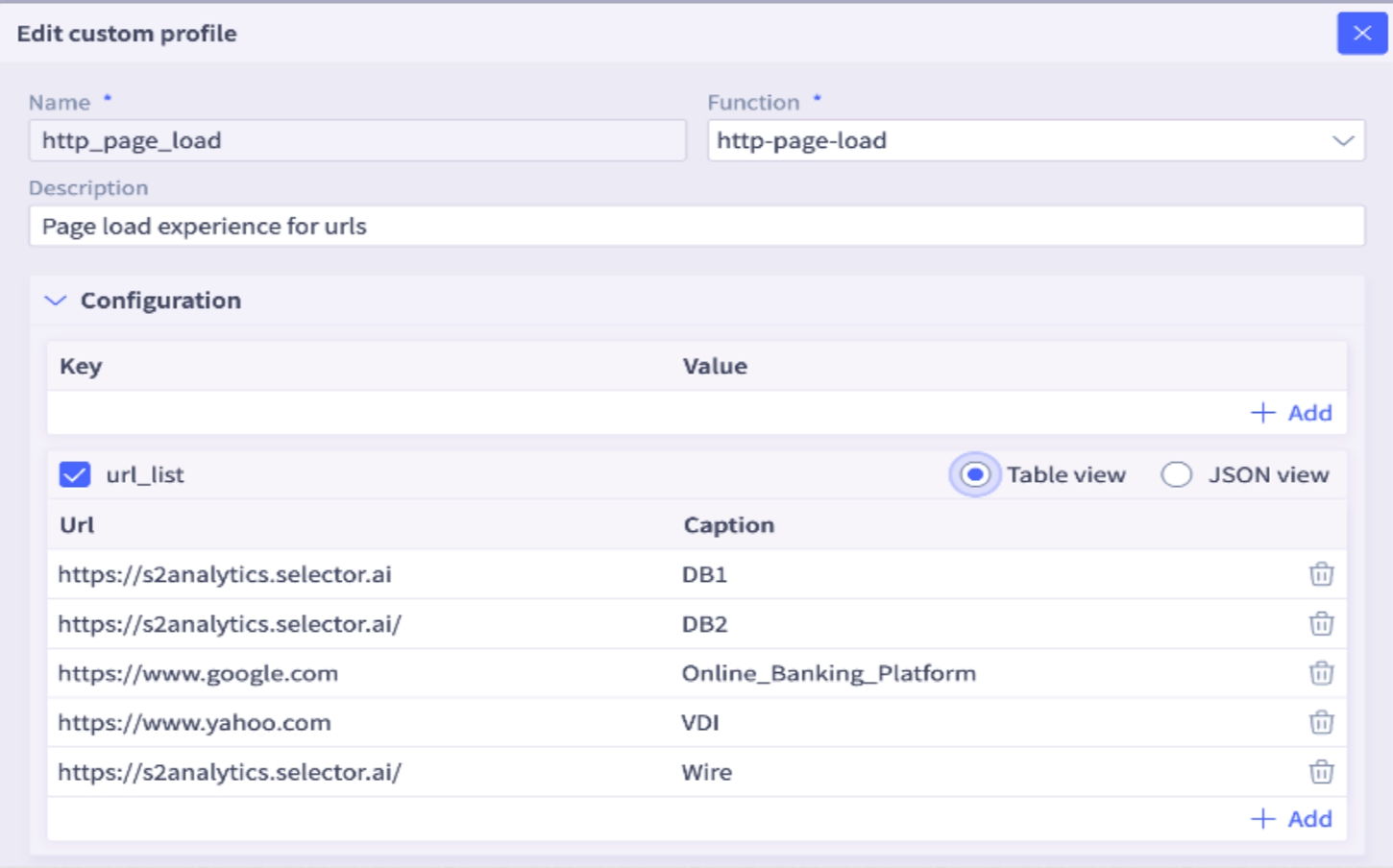
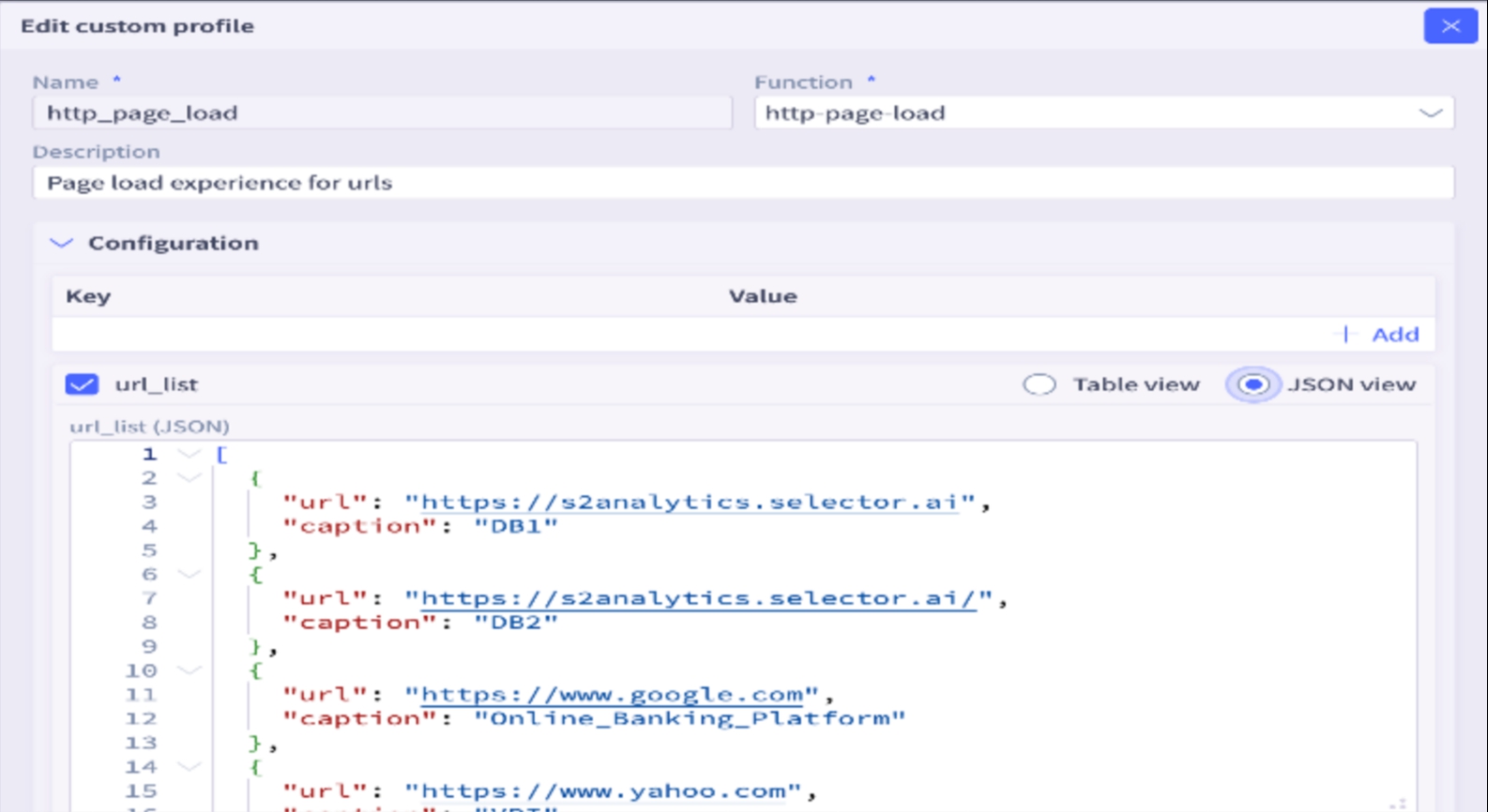
Synthetics URL supports a table view for better readability and addition of new entries.
- Improved Readability: The Synthetics URL feature now includes a table view for clearer presentation and easier entry management.
- Flexible Data View: The
url_listnow supports both Table View and JSON View.
User Feedback
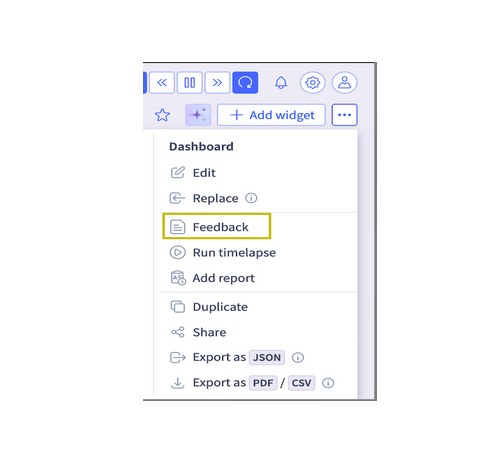
Selector has a robust User Feedback capability designed to provide deep insights into the user experience, capture innovative ideas for product improvements, and measure overall Customer Satisfaction.
Key Features:
- Feedback Collection: This feature is seamlessly integrated and available directly within every widget and dashboard across the platform, ensuring that users can provide context-specific feedback at the exact point of interaction.
- Direct Channel to Selector: The collected feedback serves as a direct, actionable communication channel from users back to the Selector product and development teams.
Access and Consolidation:
All feedback submitted through the various widgets and dashboards is centrally collected, organized, and accessible to the user via a dedicated section for easy review and follow-up.
The consolidated feedback repository can be found by navigating to: Activity -> Feedback.
RBAC Enhancements for Granular Assignment Support
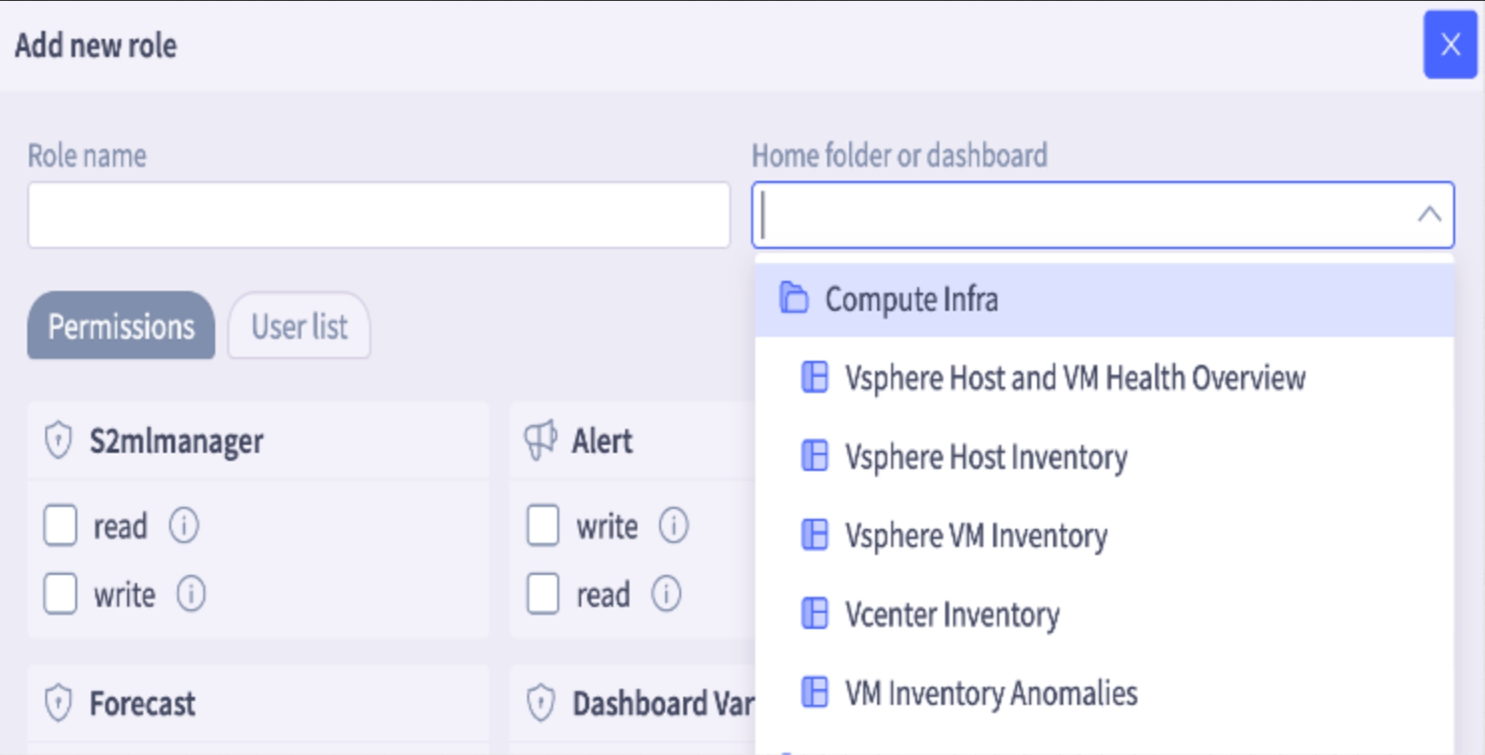
A significant enhancement is available for RBAC, introducing support for nested, granular dashboard permissions. This new capability increases the flexibility and precision available to administrators when managing user access to dashboard resources.
Previously, access controls were applied at top folder level, limiting an administrator’s ability to tailor exact permissions for diverse user roles. With this new, granular approach, administrators can define highly specific access rights down to the individual dashboard level, even within a structured folder hierarchy.
Key Benefits of Granular Nested Permissions:
- Precise Access Control: Administrators can now ensure that users view only the data and visualizations directly relevant to their responsibilities, improving focus and data security.
- Hierarchical Flexibility: Permissions are respected and manageable within nested folder structures, allowing for a logical organization of dashboards without sacrificing granular control.
- Improved Compliance and Security: By restricting access to sensitive data on a per-dashboard basis, organizations can more easily comply with data governance policies and reduce the risk of unauthorized data exposure.
- Streamlined Administration: While offering greater detail, the system is designed to be intuitive, allowing administrators to efficiently assign a different, distinct set of dashboard permissions to each RBAC role.
Illustrative Example:
Consider a folder named Compute Infra containing the following four dashboards:
- Dashboard1: Vsphere Host and VM Health
- Dashboard2: Host inventory
- Dashboard3: VM inventory
- Dashboard4: Vcenter inventory
Using the new granular permission system, an administrator can assign these resources to separate, distinct roles:
- Technical Operations Team Role: assigned permissions only for Dashboard1 and Dashboard3.
- Executive Leadership Role: assigned permissions only for Dashboard3.
- Security Analyst Role: assigned exclusive permissions for Dashboard3 and Dashboard4.
- Project Manager Role: assigned permissions for Dashboard4 and a Read-Only view of Dashboard1.
This level of control ensures that each role receives the exact set of tools and information required for their duties, optimizing the user experience while enforcing strict access policies.
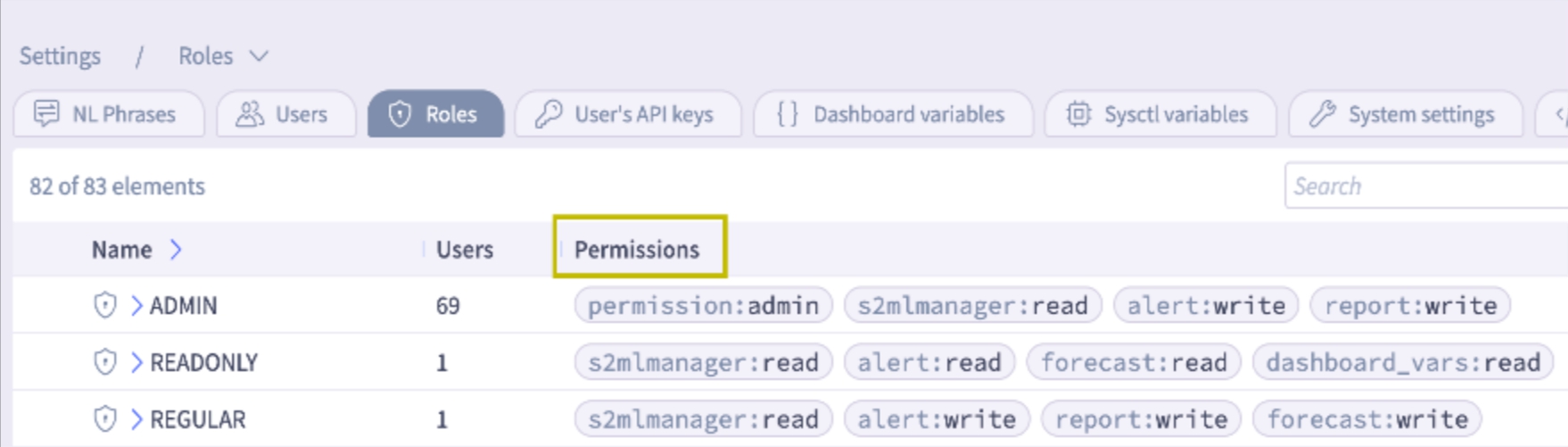
- The roles table now incorporates a Permissions column and the number of users in each category to enhance overall clarity.
Enhanced Readability of SNMP Trap Varbinds Events
Previously, the variable bindings (varbinds) included in SNMP Traps were presented as raw OIDs and their corresponding values. While technically accurate for machine processing, this format made it challenging for system administrators and monitoring personnel to quickly interpret the significance of the trap without cross-referencing OIDs with MIBs. The data was generally not immediately human-readable, leading to delays in diagnosing and responding to issues.
This feature has been significantly enhanced to improve operational efficiency and ease of use. The system now automatically translates and presents the SNMP Trap varbinds data in a human-readable format.
As a result, when an SNMP Trap is received and processed, the varbinds associated with it are displayed with clear, descriptive labels and values, allowing users to instantly understand the context and severity of the event without manual lookups or external tools. This critical improvement streamlines the monitoring, troubleshooting, and alert handling process, leading to faster identification and resolution of network and system issues.

Enhanced Drilldown Functionality in Gauge Widget
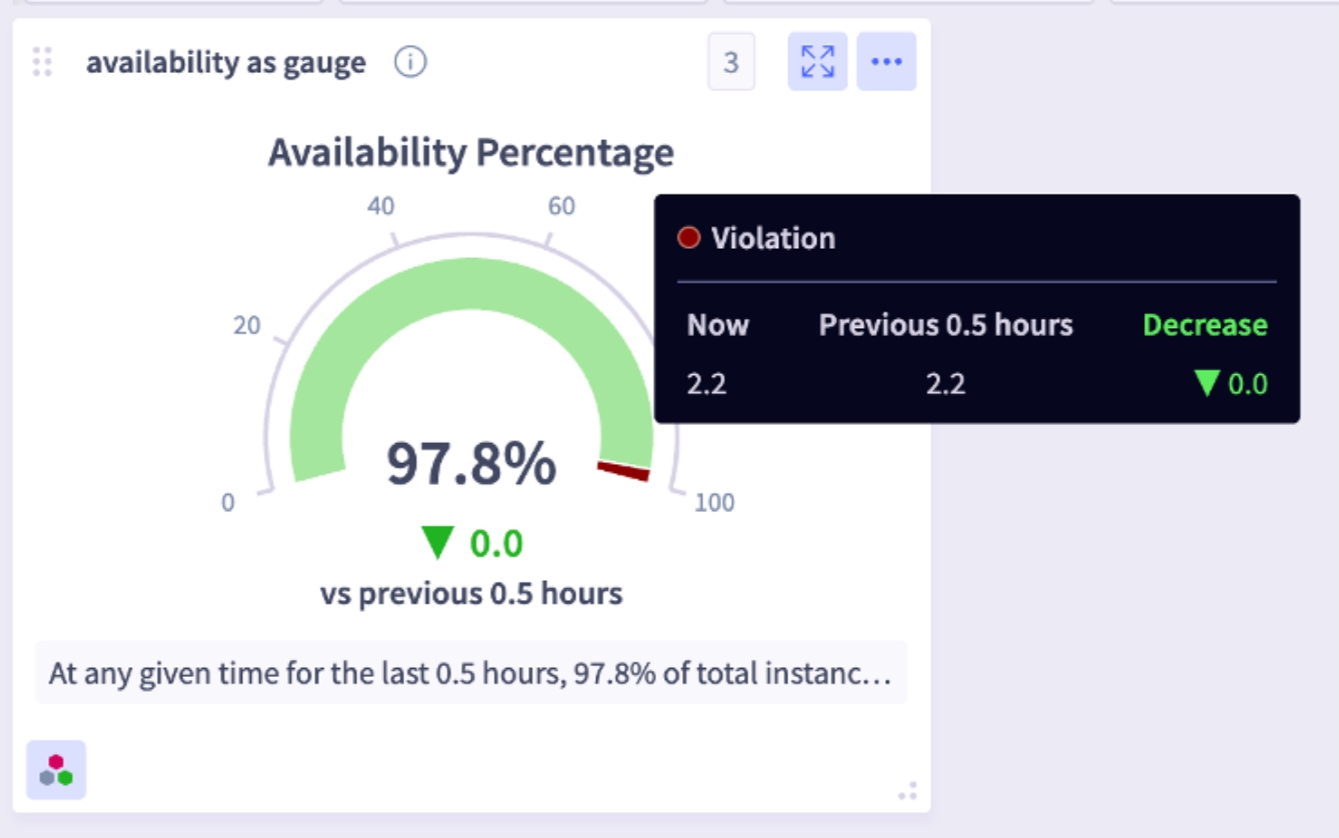
The Gauge widget has been enhanced to fully support drilldown capabilities, specifically for accessing add-on details. This new feature allows users to click directly on the Gauge widget to seamlessly navigate to and view the underlying data. This provides a more interactive and efficient way to explore granular information without leaving the dashboard view, improving the overall user experience for data analysis and troubleshooting.
Query Builder Table Enhancements
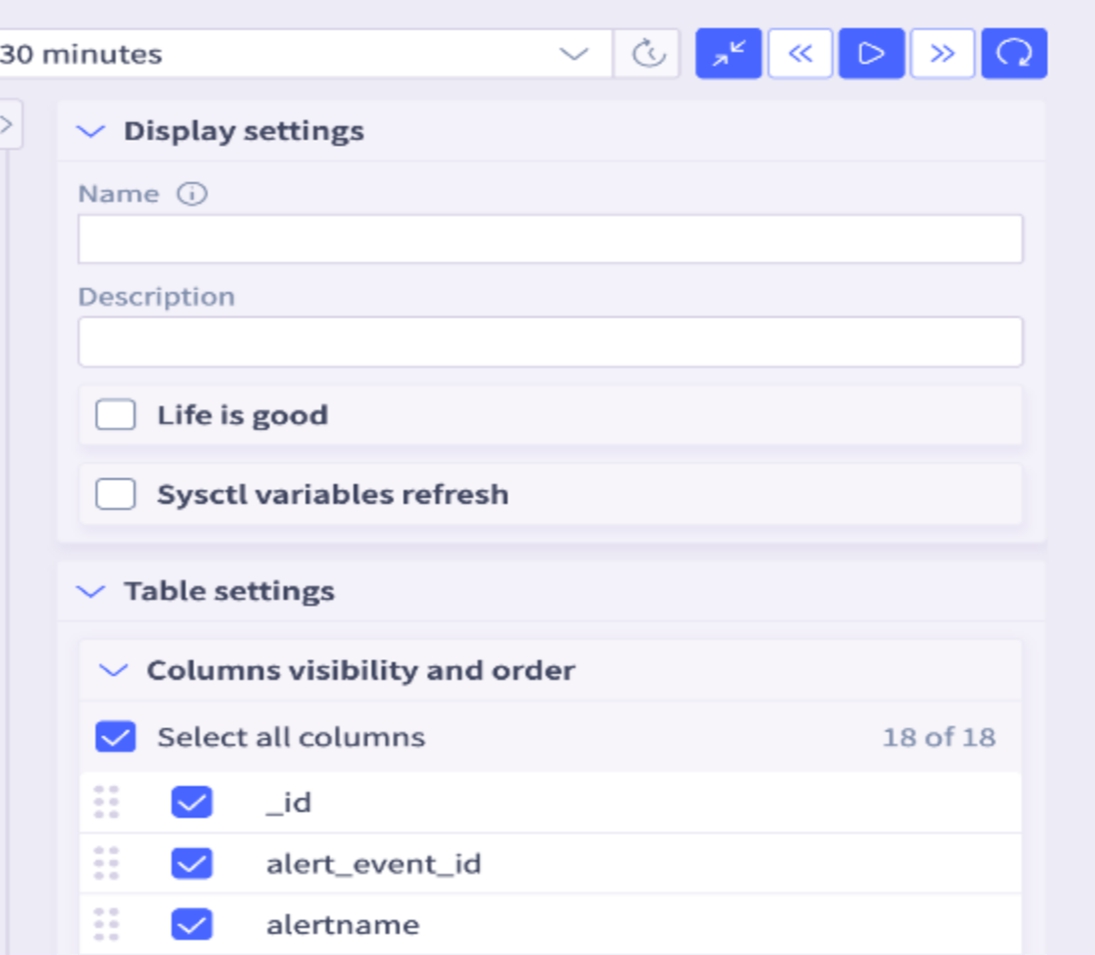
- Columns can now be reordered.
- Columns can be hidden by unchecking them.
Admin Experience Enhancements
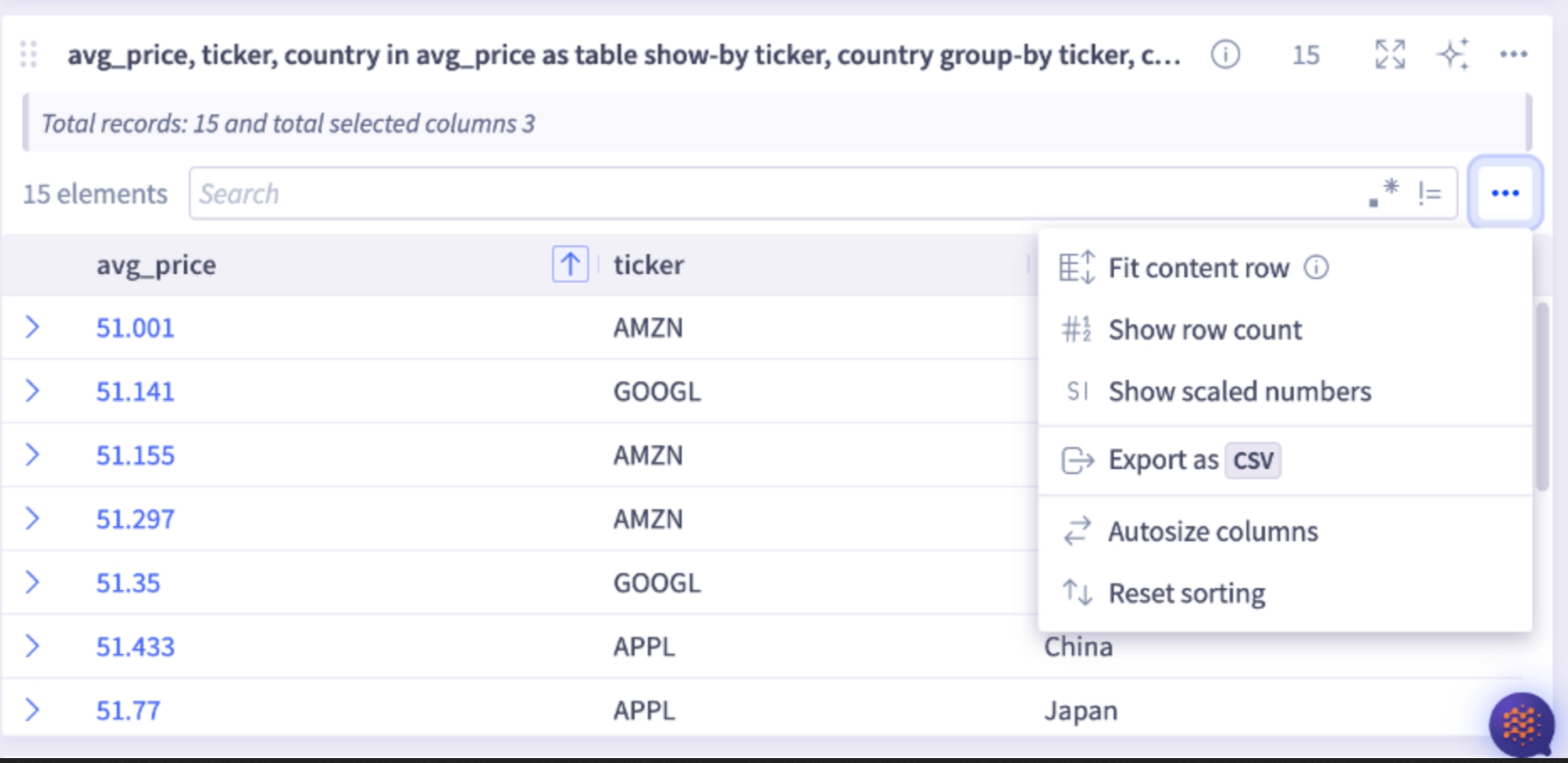
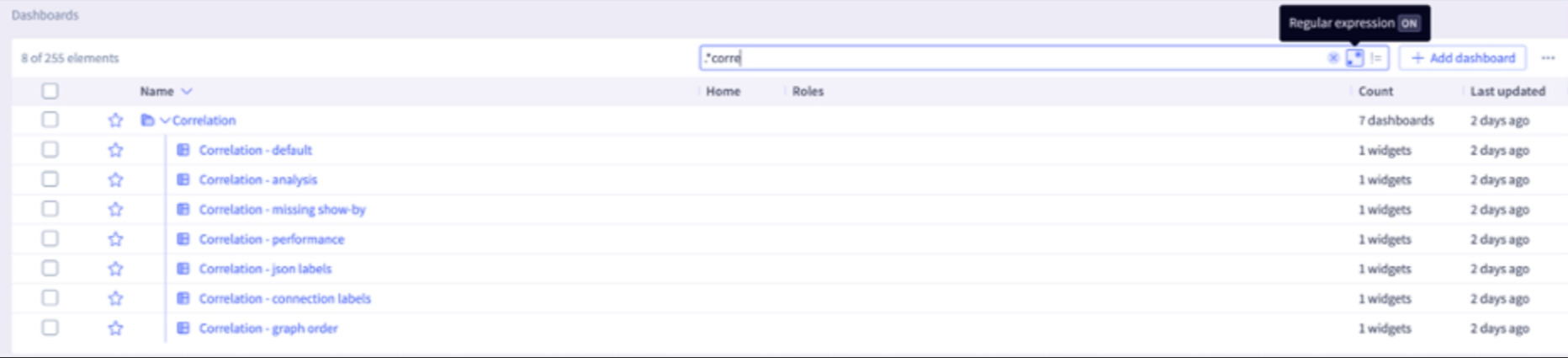
Search supports with regular expression patterns for tables
Note: Regular expression is turned off by default, enabling Regex as the first step.Toggle Regex ON/OFF in the search bar.
- Big text widgets have been enhanced to support three decimal values (for example 99.432) and dynamic font sizing.
- Tables now feature autosize columns, which automatically adjust their width to fit the data they contain.