Selector Release Notes Version 4032 Mar 1 2026 to May 15 2026
Categories:
Selector Release Notes for Version 4032
New Features and Enhancements
NOTE: Please consult with a solution engineer or Customer Success Manager for any required feature additions.
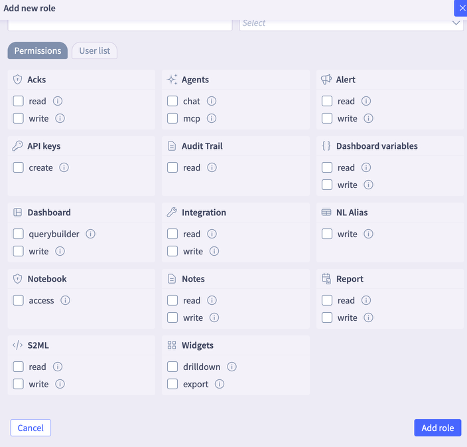
Granular RBAC permissions
The S2AP platform supports granular permissions for users that allow administrators to provide necessary permissions for custom roles. These enhancements introduce support for nested, granular dashboard permissions, offering greater flexibility and precision in managing user access, and enable customers to provide appropriately scoped permissions to roles adhering to least-privilege principles.
The following specific granular permissions are now available:
- API Keys: Allows authorized users to generate custom keys.
- Agent - MCP and ChatOps: Provides access to Selector’s MCP service and the Selector Rosetta feature.
- Notebook: Grants users permission to utilize the Jupyter notebook.
- Dashboard Querybuilder: Enables the query bar for visualization; if write permissions are active, users may also save their queries.
- Widgets - Export: Permits users to export widget data as PDF or CSV files.
- Widgets - Drilldown: Allows users to navigate from top-level widgets into detailed views.
Kafka2 Remote Engine Enhancements
The Kafka2 Remote engine has significant enhancements to provide a robust, scalable, and highly optimized solution for managing large-scale data streams. These architectural improvements ensure the platform can handle increasing telemetry volumes with greater efficiency and reliability. Furthermore, the user interface now provides direct support for configuring multiple engine parameters, which streamlines administrative workflows by eliminating the need for manual backend-logging.
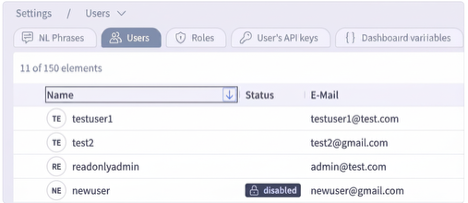
Enable/Disable Users from the UI
The Selector portal now allows the enabling and disabling of users. The users list specifically highlights those users currently disabled in the Status field.
Heartbeat Status on Decommissioned Devices
The SNMP heartbeat monitoring for decommissioned devices is now automatically and immediately paused upon the device’s removal from Selector’s Inventory. This enhancement optimizes monitoring resources and prevents the generation of false-positive “device down” alerts for hardware intentionally taken out of service.
Dual Submission with Remote Engines
Most Selector remote engines now support sending data to multiple S2AP instances simultaneously to ensure high availability and geo-redundancy. This capability is critical for environments requiring identical datasets across production and disaster recovery (DR) setups.
Also, the Synthetics and Probe agents now support dual submission to allow synthetic monitoring data to be replicated across multiple S2AP endpoints. Configuration involves listing secondary destinations in the probe configuration file, while the primary destination is derived from the existing setup.
Dashboard Assignment for Custom Roles
The S2AP platform now allows users to access and interact with specifically assigned dashboards directly as the primary home folder. The system-level default home folder is automatically hidden for any user accounts that have been mapped to specialized custom roles and specific dashboards to provide a streamlined and relevant user experience.
This enhancement gives administrators the ability to customize the initial landing experience for different user groups, so that the most pertinent telemetry and visualizations are immediately available at login.
User Experience Enhancements
Table Search: The Search functionality now provides an enhanced and more intuitive seamless administrative experience. This update automatically synchronizes search parameters, such as IP addresses or specific text strings, across all related views.
- Persistent Search Context: When a user copies an IP address or text to the search field from any table, that criteria is automatically included in all expanded views within that table.
- Improved Efficiency: This enhancement reduces the need for manual data re-entry and streamlines the process of identifying and investigating specific network elements or logs within complex tables.
Copy and Paste support for custom time intervals from the timepicker
- Administrators can copy a precise time window to investigate related telemetry or dashboard visualizations across different views without manually re-configuring the timepicker. This provides a consistent analysis across the platform.
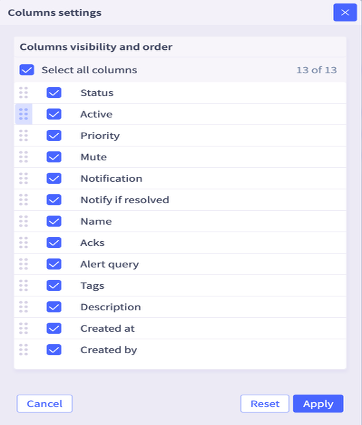
Column Customization for Alert Rules: The Alert Rules table now allows users to reorder columns. This allows users to prioritize and sort critical data to the beginning of the table for better visibility.
- Note: These column settings can be accessed by clicking the three dots located next to the “Add Rule” button under Alert->Rules.
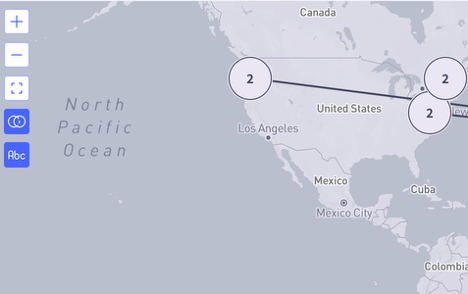
Map View Zoom Controls: The map view now supports mouse scrolling for seamless zooming in and out.
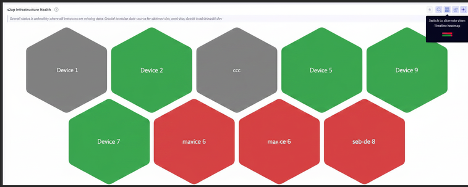
- Honeycomb Widget: Timeline Heatmap View
The Honeycomb widget, frequently used to display site and device health, now includes an optional timeline heatmap view. This alternative visualization gives users another option to analyze health data within the widget.
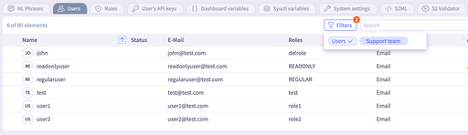
- User Segmentation Filters: New filters within the Selector portal allow clear differentiation between Selector users as “Support team” members and customer users as “Users.”
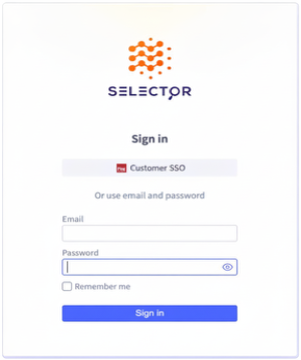
- Login Page Interface Updates: The login page layout now prioritizes SSO sign-ins at the top, while the optional username and password fields move to the bottom.
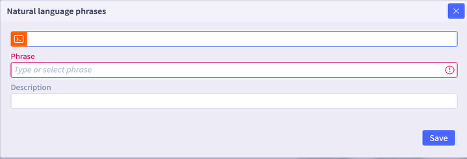
- Natural Language (NL) Phrase Descriptions: NL phrases now include descriptions to significantly enhance user readability and search efficiency.
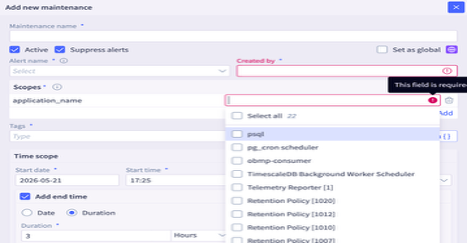
- Flexible Maintenance Window Scoping: Users can now define maintenance window scopes more efficiently using the “Select All” feature or by multi-selecting specific scopes.
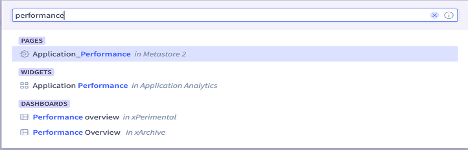
- Folder-Based Dashboard Naming: The S2AP platform now supports the use of identical dashboard names to improve organization and flexibility in complex environments as long as the names duplicated are located in different folders. This enhancement allows teams to maintain consistent naming conventions (for example, “Performance Overview”) across various departments or project-specific directories without naming conflicts.
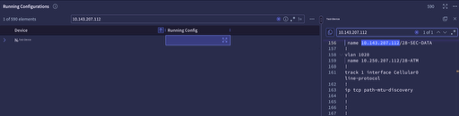
- Multi-device Config Search: This enhancement allows users to retain search values within the expanded view within the table and avoid typing or copying the same search value. By automatically persisting the search criteria when navigating between primary and detailed table views, the platform ensures a more efficient administrative workflow, enabling users to maintain context without manual data re-entry.
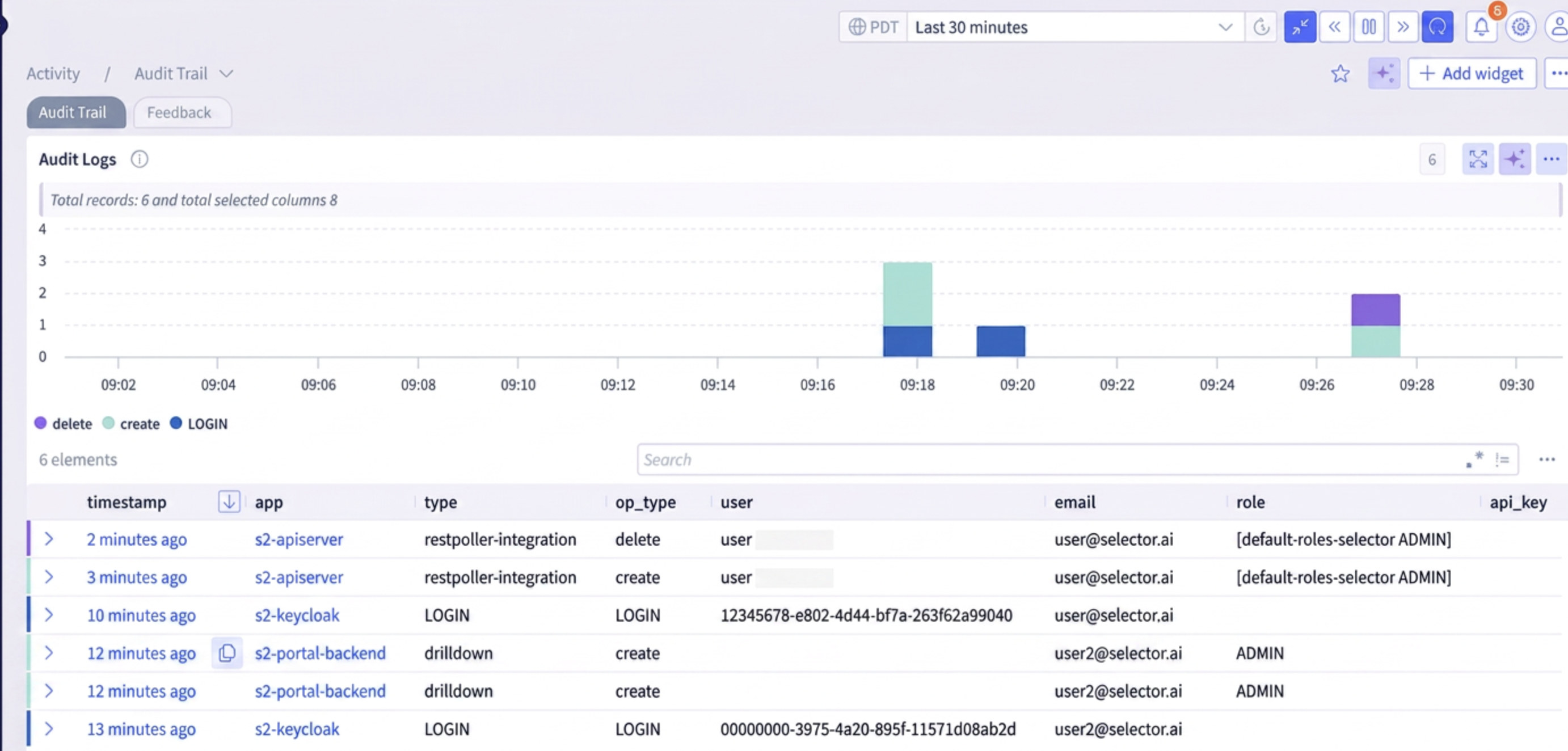
- Audit Log Enhancements: Audit trail is now enhanced to capture operations for integrations like SNMP, REST Poller and Splunk, and also to display the updated username when there is an S2AP role change.